Ad Creative Brief Template: Strategy, Handoff, and Learning
A creative brief is not a form to complete before the real work begins. It is the control surface for the work. A weak brief transfers ambiguity to the designer, editor, creator, reviewer, and media buyer; each person fills the gaps differently, and the final asset can no longer answer a clear strategic question. This guide uses a closed loop: customer evidence enters the brief, production decisions leave it, and performance learning returns to improve the next brief.
Quick answer: A useful ad creative brief makes five things unambiguous: the decision the ad must change, the audience tension, the promise and proof, the variable being tested, and the production and approval path. Add format appendices only where creators need different instructions.
Important implementation claims in this guide are grounded in primary guidance, including American Marketing Association creative brief toolkit and Meta Advertising Standards. The frameworks below translate those requirements into decisions a working creative or growth team can review.
Evidence boundary: The completed ecommerce brief below is a worked planning example, not a reported client campaign. Its audience language, claims, targets, and proof fields must be replaced with the evidence and benchmarks for the account using the template.
Copy the One-Page Ad Creative Brief
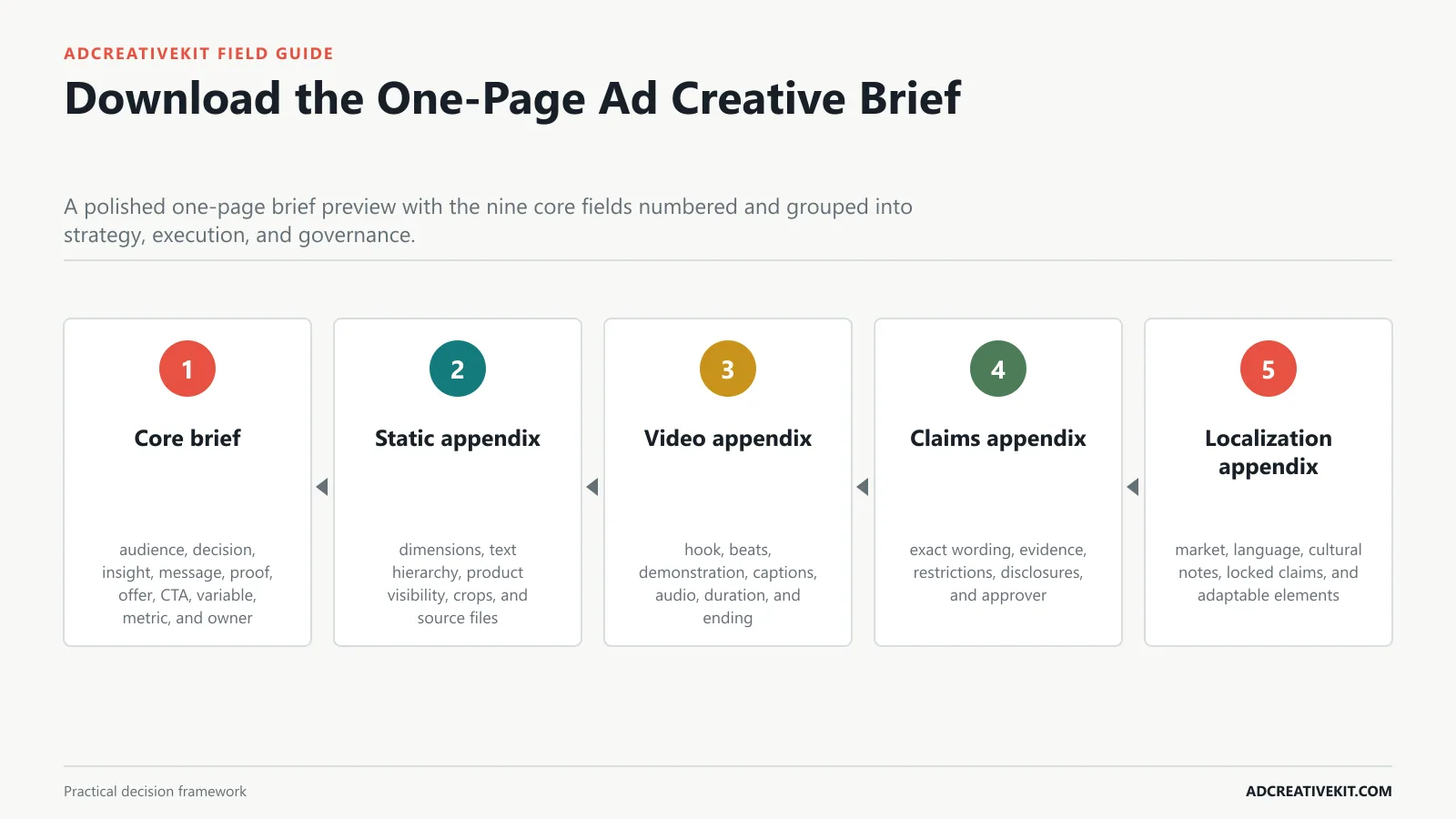
Satisfy immediate template intent with a concise core brief and explain when to add format-specific appendices.
Brief architecture
Begin with core brief: audience, decision, insight, message, proof, offer, CTA, variable, metric, and owner. Then inspect static appendix: dimensions, text hierarchy, product visibility, crops, and source files.
- Core brief: audience, decision, insight, message, proof, offer, CTA, variable, metric, and owner.
- Static appendix: dimensions, text hierarchy, product visibility, crops, and source files.
- Video appendix: hook, beats, demonstration, captions, audio, duration, and ending.
- Claims appendix: exact wording, evidence, restrictions, disclosures, and approver.
- Localization appendix: market, language, cultural notes, locked claims, and adaptable elements.
Start With the Decision the Ad Must Change
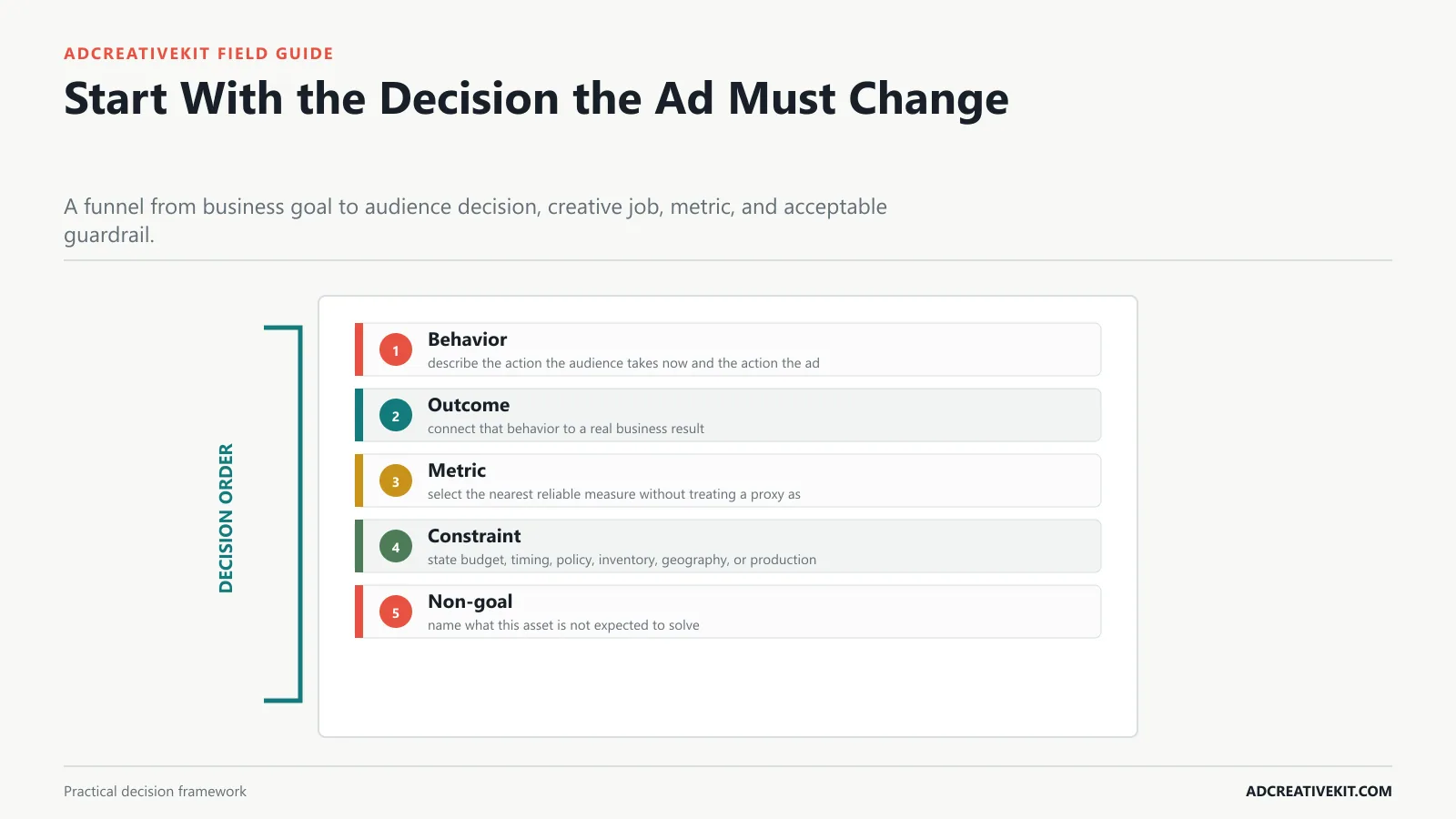
Replace vague objectives with one audience behavior, one business outcome, one primary metric, and one constraint.
Behavior test
Begin with behavior: describe the action the audience takes now and the action the ad should create. Then inspect outcome: connect that behavior to a real business result.
- Behavior: describe the action the audience takes now and the action the ad should create.
- Outcome: connect that behavior to a real business result.
- Metric: select the nearest reliable measure without treating a proxy as the business outcome.
- Constraint: state budget, timing, policy, inventory, geography, or production limits.
- Non-goal: name what this asset is not expected to solve.
| Behavior test element | Practical requirement | Review question |
|---|---|---|
| Behavior | describe the action the audience takes now and the action the ad should create | Record the observable evidence, any failure, and the owner of the next action. |
| Outcome | connect that behavior to a real business result | Record the observable evidence, any failure, and the owner of the next action. |
| Metric | select the nearest reliable measure without treating a proxy as the business outcome | Record the observable evidence, any failure, and the owner of the next action. |
| Constraint | state budget, timing, policy, inventory, geography, or production limits | Record the observable evidence, any failure, and the owner of the next action. |
| Non-goal | name what this asset is not expected to solve | Record the observable evidence, any failure, and the owner of the next action. |
Turn Audience Research Into a Usable Insight
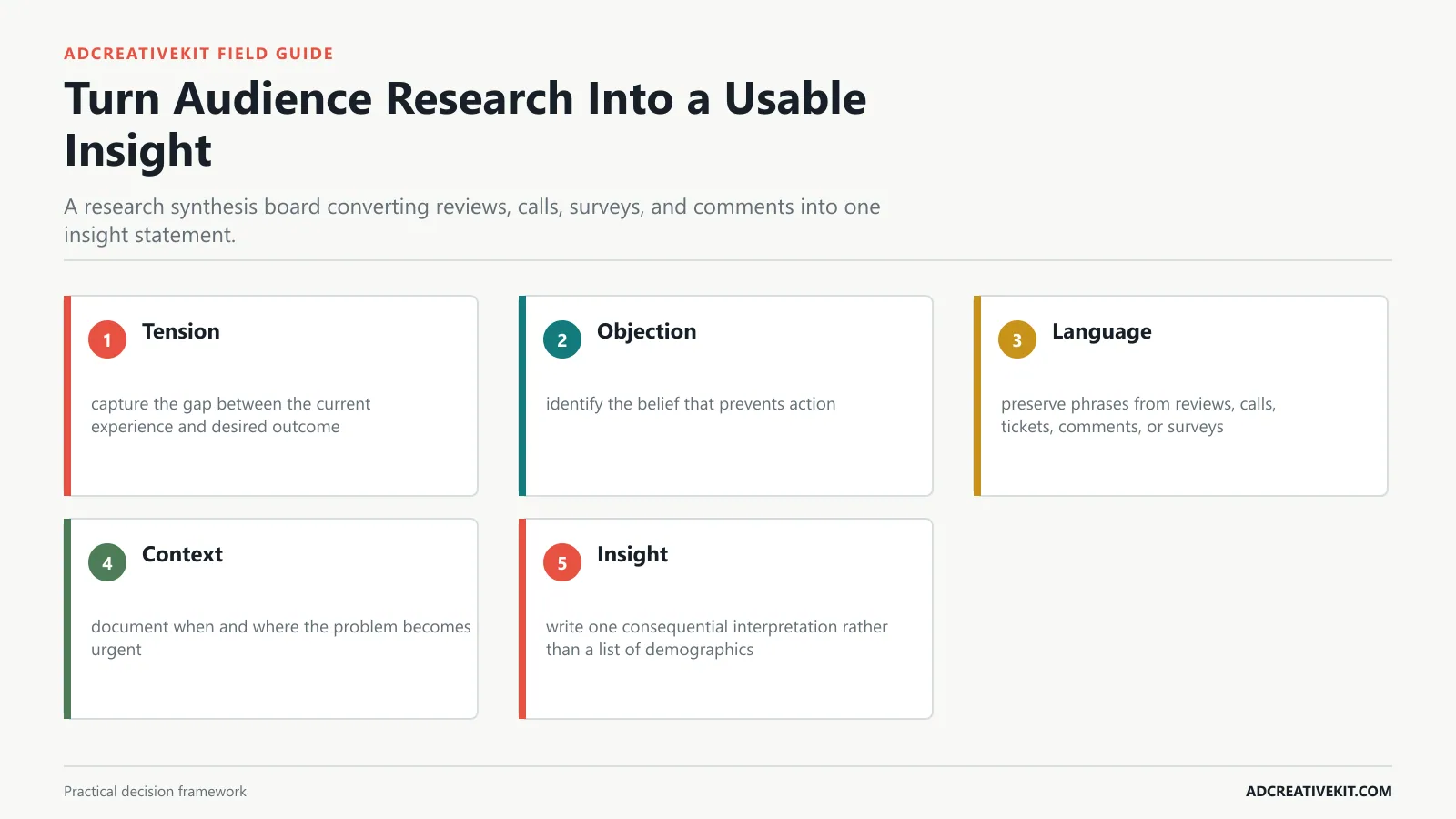
Show how to move from demographics to a tension, objection, desired outcome, and language source that can guide creative.
Insight test
Begin with tension: capture the gap between the current experience and desired outcome. Then inspect objection: identify the belief that prevents action.
- Tension: capture the gap between the current experience and desired outcome.
- Objection: identify the belief that prevents action.
- Language: preserve phrases from reviews, calls, tickets, comments, or surveys.
- Context: document when and where the problem becomes urgent.
- Insight: write one consequential interpretation rather than a list of demographics.
For the adjacent workflow, use the Facebook creative review checklist. When this section reveals a broader conversion or production issue, continue with the UGC script templates.
Define the Message, Proof, Offer, and Action
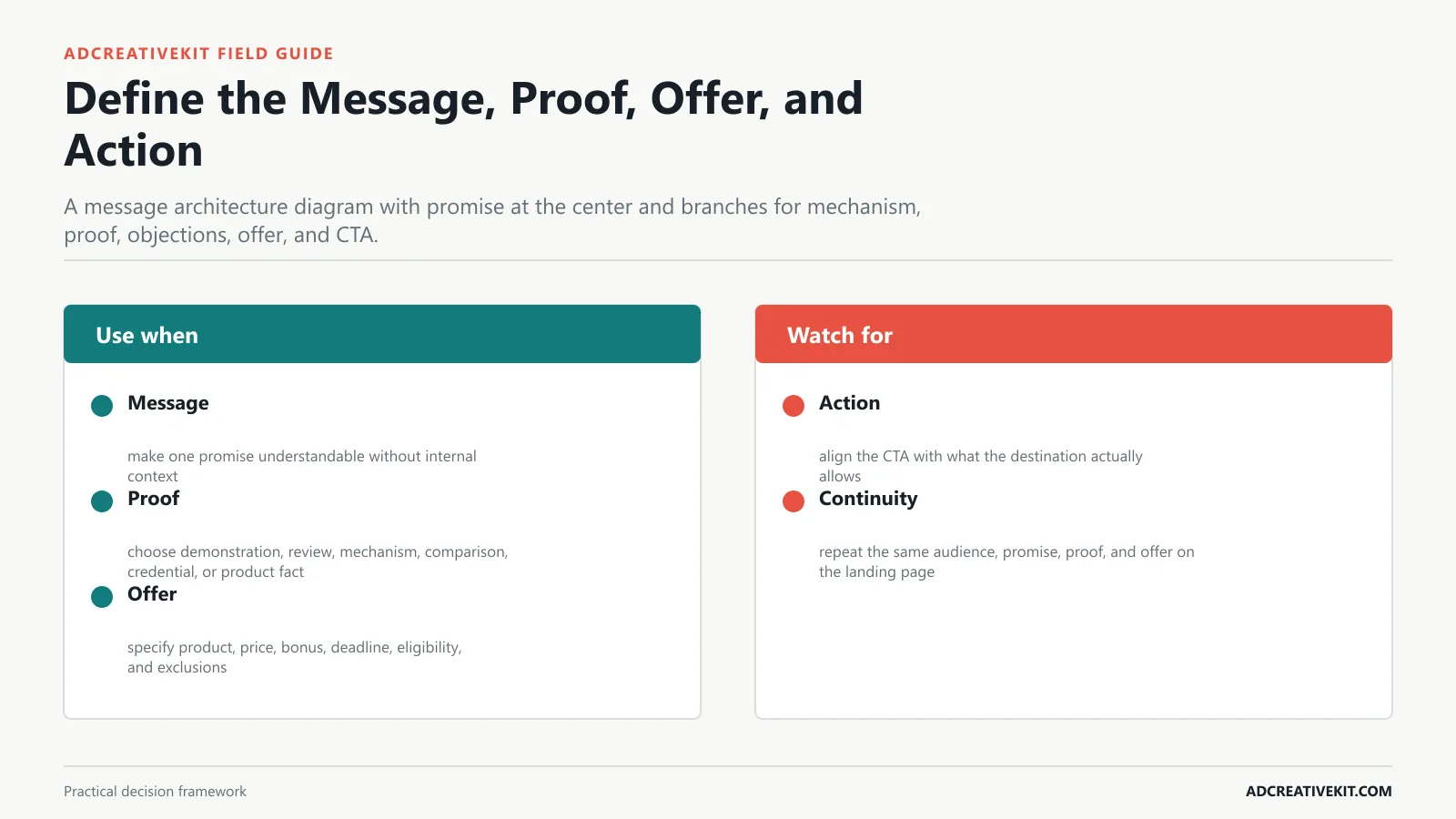
Create internal coherence between the promise, evidence, offer mechanics, landing page, and CTA.
Coherence test
Begin with message: make one promise understandable without internal context. Then inspect proof: choose demonstration, review, mechanism, comparison, credential, or product fact.
- Message: make one promise understandable without internal context.
- Proof: choose demonstration, review, mechanism, comparison, credential, or product fact.
- Offer: specify product, price, bonus, deadline, eligibility, and exclusions.
- Action: align the CTA with what the destination actually allows.
- Continuity: repeat the same audience, promise, proof, and offer on the landing page.
Choose What This Brief Will Test
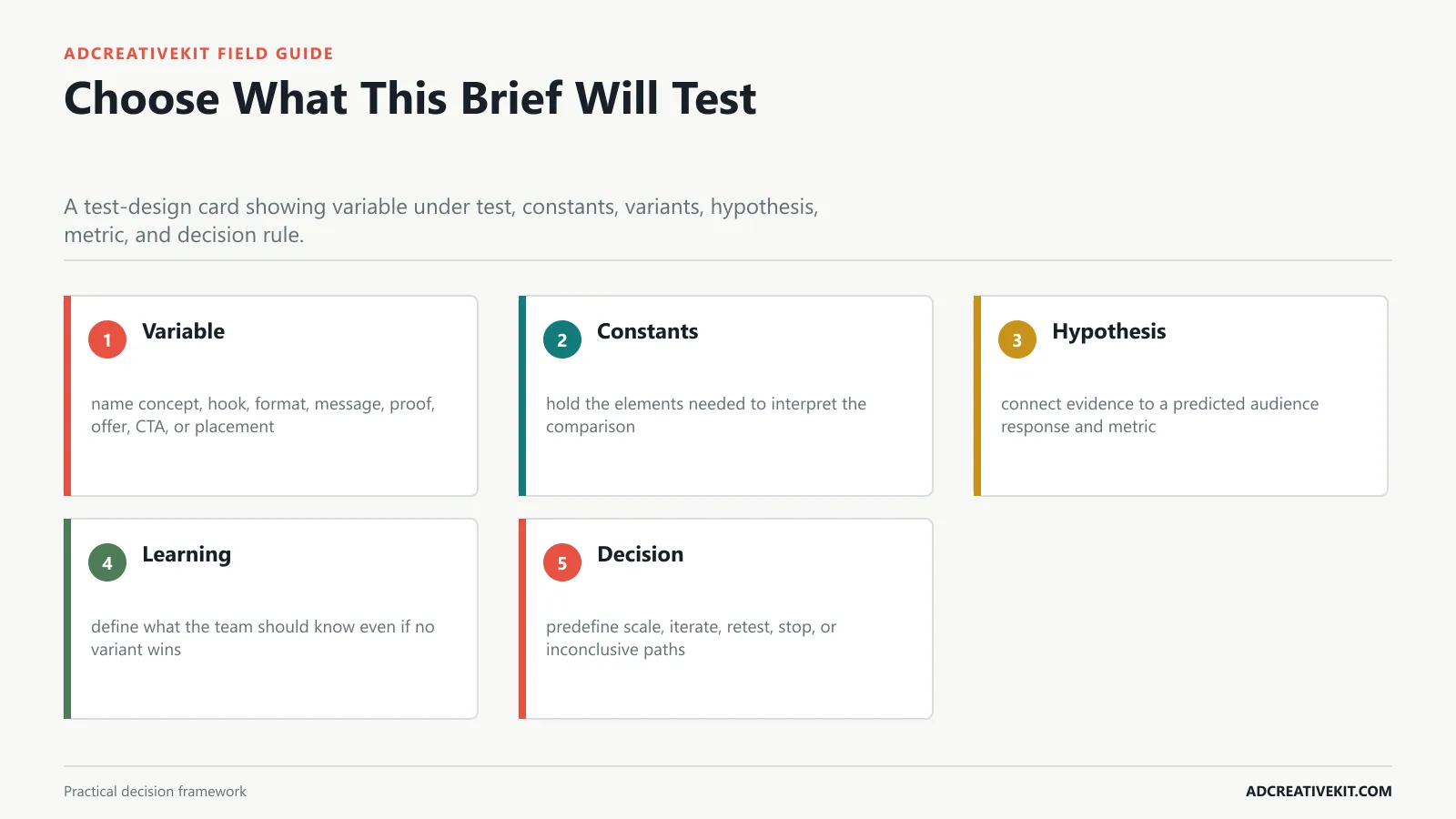
Name the primary variable, hold surrounding elements stable, and define the learning expected from the batch.
Learning question
Begin with variable: name concept, hook, format, message, proof, offer, CTA, or placement. Then inspect constants: hold the elements needed to interpret the comparison.
- Variable: name concept, hook, format, message, proof, offer, CTA, or placement.
- Constants: hold the elements needed to interpret the comparison.
- Hypothesis: connect evidence to a predicted audience response and metric.
- Learning: define what the team should know even if no variant wins.
- Decision: predefine scale, iterate, retest, stop, or inconclusive paths.
Add Format-Specific Production Instructions
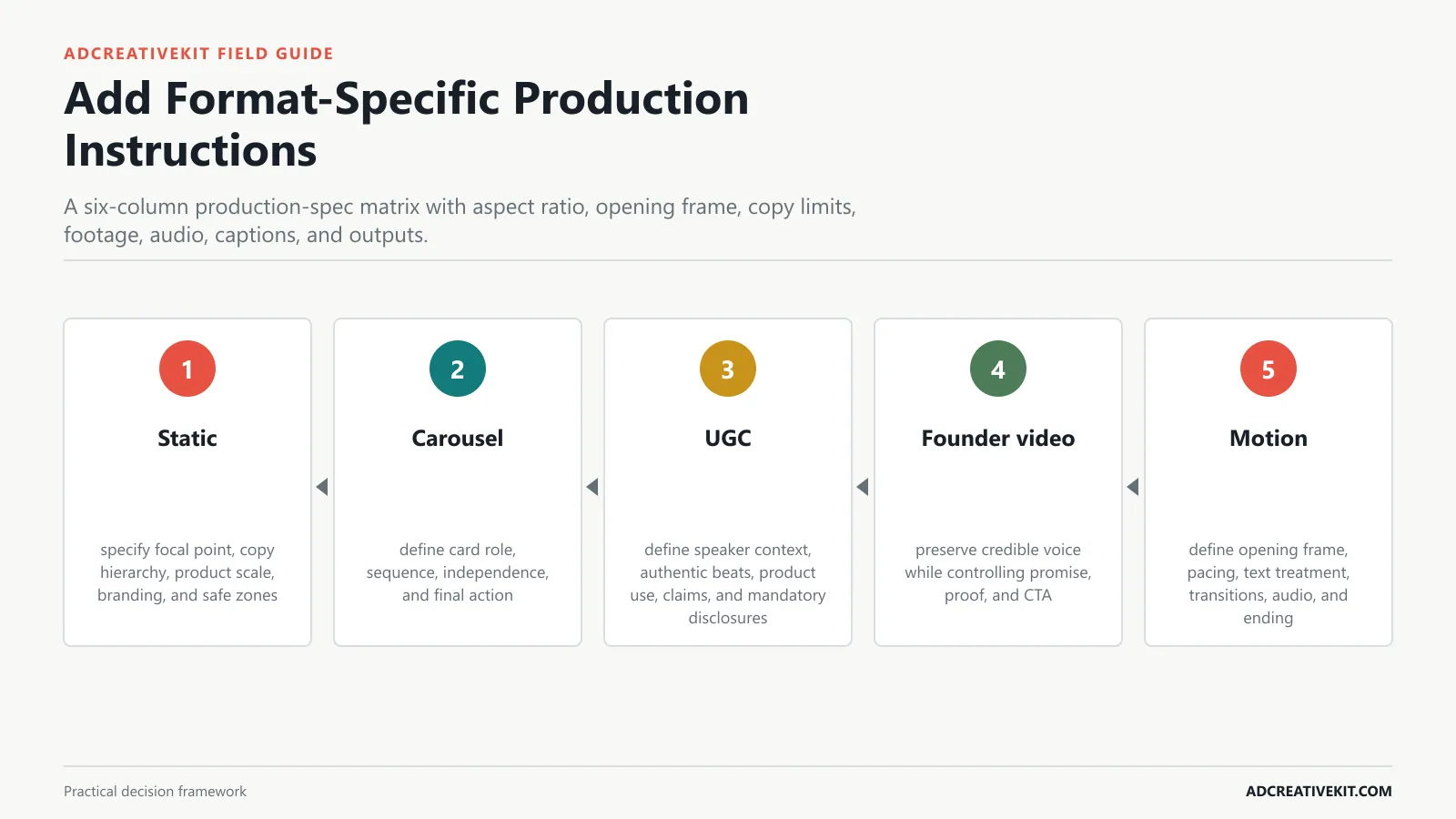
Show modular requirements for static, carousel, UGC, founder-led video, demo, and motion creative.
Production translation
Begin with static: specify focal point, copy hierarchy, product scale, branding, and safe zones. Then inspect carousel: define card role, sequence, independence, and final action.
- Static: specify focal point, copy hierarchy, product scale, branding, and safe zones.
- Carousel: define card role, sequence, independence, and final action.
- UGC: define speaker context, authentic beats, product use, claims, and mandatory disclosures.
- Founder video: preserve credible voice while controlling promise, proof, and CTA.
- Motion: define opening frame, pacing, text treatment, transitions, audio, and ending.
For the adjacent workflow, use the repeatable ad testing system. When this section reveals a broader conversion or production issue, continue with the Facebook creative review checklist.
Document Claims, Rights, and Platform Guardrails
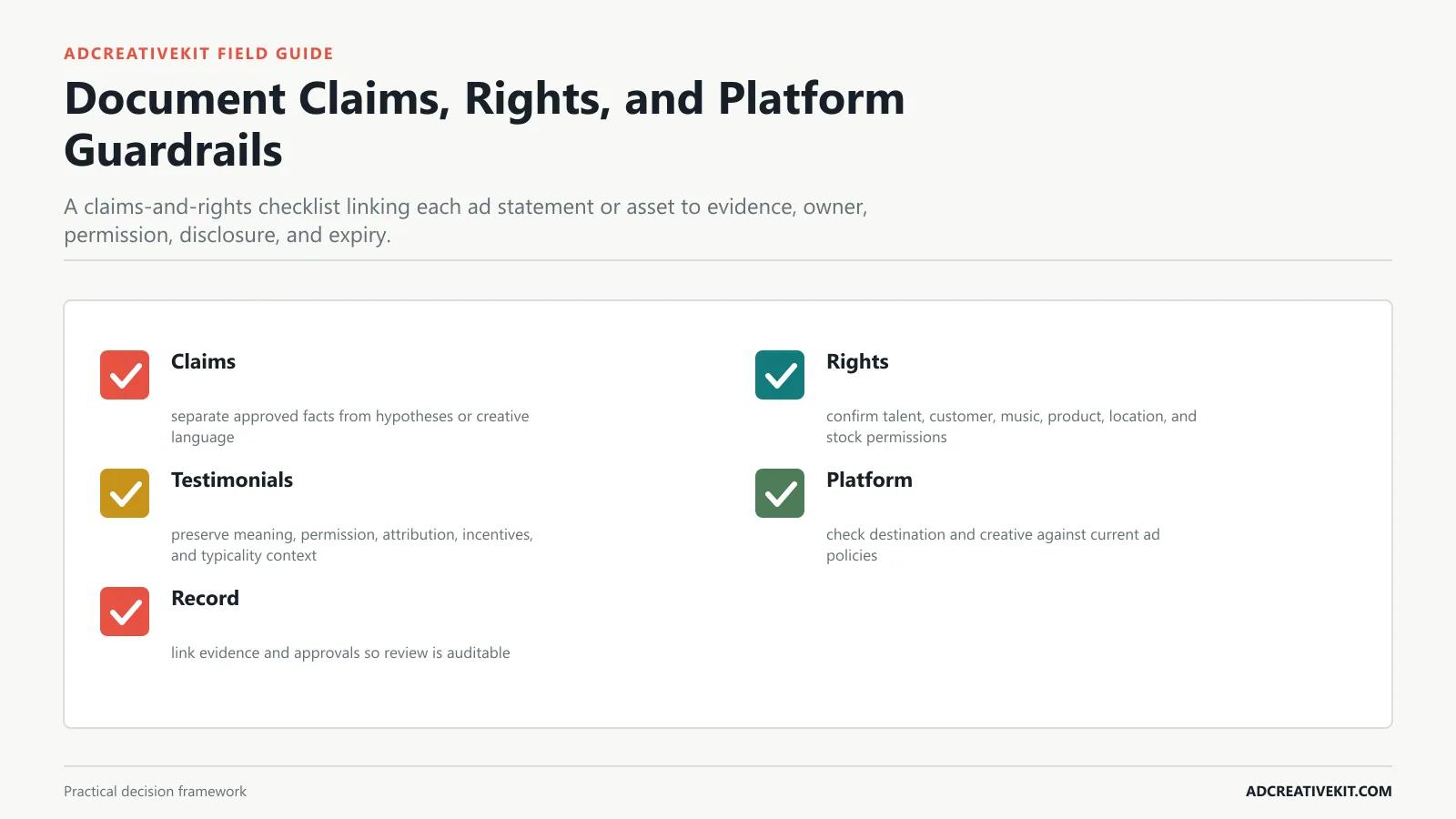
Prevent avoidable legal, policy, permission, music, testimonial, and product-representation problems.
Risk gate
Begin with claims: separate approved facts from hypotheses or creative language. Then inspect rights: confirm talent, customer, music, product, location, and stock permissions.
- Claims: separate approved facts from hypotheses or creative language.
- Rights: confirm talent, customer, music, product, location, and stock permissions.
- Testimonials: preserve meaning, permission, attribution, incentives, and typicality context.
- Platform: check destination and creative against current ad policies.
- Record: link evidence and approvals so review is auditable.
Build Approval and Handoff Into the Brief
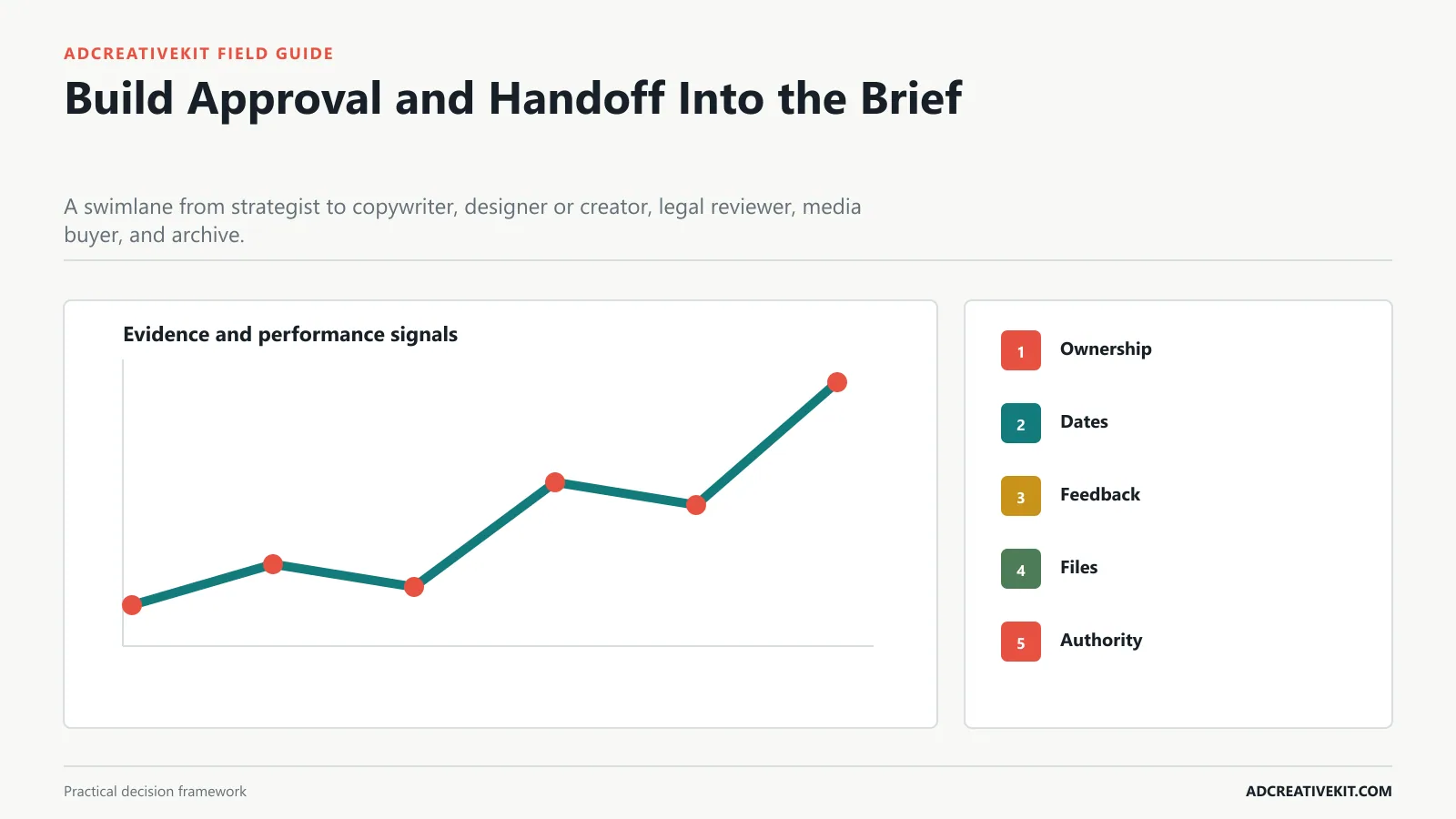
Clarify owners, deadlines, source files, naming, feedback rounds, and the final launch authority.
Handoff rule
Begin with ownership: assign strategy, copy, design, edit, compliance, approval, launch, and analysis. Then inspect dates: distinguish first draft, review, lock, trafficking, and launch deadlines.
- Ownership: assign strategy, copy, design, edit, compliance, approval, launch, and analysis.
- Dates: distinguish first draft, review, lock, trafficking, and launch deadlines.
- Feedback: consolidate comments and define who resolves conflicts.
- Files: specify source, export, naming, dimensions, captions, and archive location.
- Authority: name the person who can approve, reject, or stop launch.
For implementation details, consult Google Ads asset requirements. Requirements and platform behavior change, so review the current primary documentation before launch rather than relying on a static checklist alone.
Completed Ad Creative Brief Example
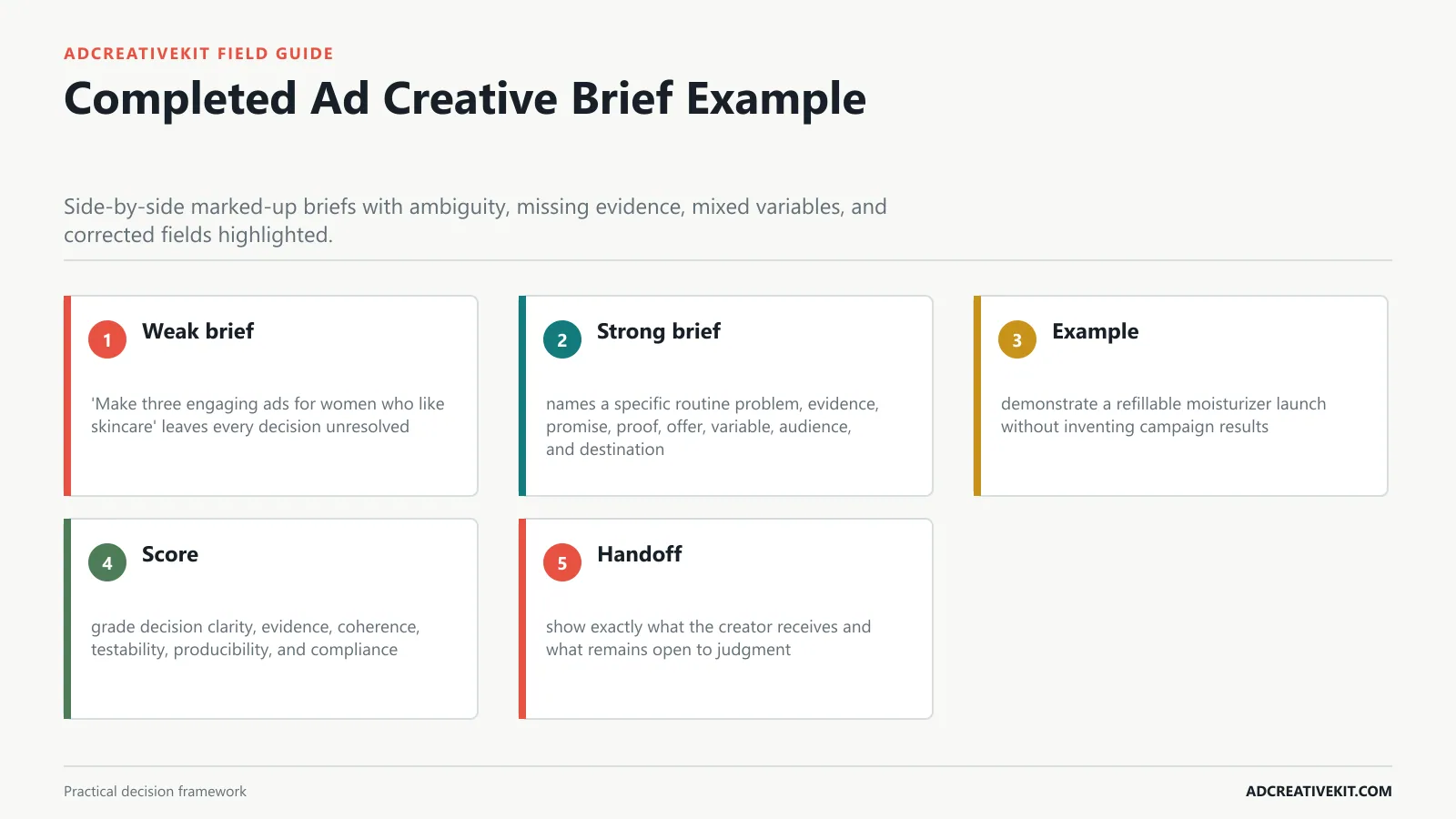
Walk through a realistic ecommerce campaign and compare a weak brief with a production-ready version.
Worked example
Begin with weak brief: ‘Make three engaging ads for women who like skincare’ leaves every decision unresolved. Then inspect strong brief: names a specific routine problem, evidence, promise, proof, offer, variable, audience, and destination.
- Weak brief: ‘Make three engaging ads for women who like skincare’ leaves every decision unresolved.
- Strong brief: names a specific routine problem, evidence, promise, proof, offer, variable, audience, and destination.
- Example: demonstrate a refillable moisturizer launch without inventing campaign results.
- Score: grade decision clarity, evidence, coherence, testability, producibility, and compliance.
- Handoff: show exactly what the creator receives and what remains open to judgment.
| Worked example element | Practical requirement | Review question |
|---|---|---|
| Weak brief | ‘Make three engaging ads for women who like skincare’ leaves every decision unresolved | Record the observable evidence, any failure, and the owner of the next action. |
| Strong brief | names a specific routine problem, evidence, promise, proof, offer, variable, audience, and destination | Record the observable evidence, any failure, and the owner of the next action. |
| Example | demonstrate a refillable moisturizer launch without inventing campaign results | Record the observable evidence, any failure, and the owner of the next action. |
| Score | grade decision clarity, evidence, coherence, testability, producibility, and compliance | Record the observable evidence, any failure, and the owner of the next action. |
| Handoff | show exactly what the creator receives and what remains open to judgment | Record the observable evidence, any failure, and the owner of the next action. |
For the adjacent workflow, use the ad testing matrix template. When this section reveals a broader conversion or production issue, continue with the repeatable ad testing system.
Close the Loop After the Ad Runs
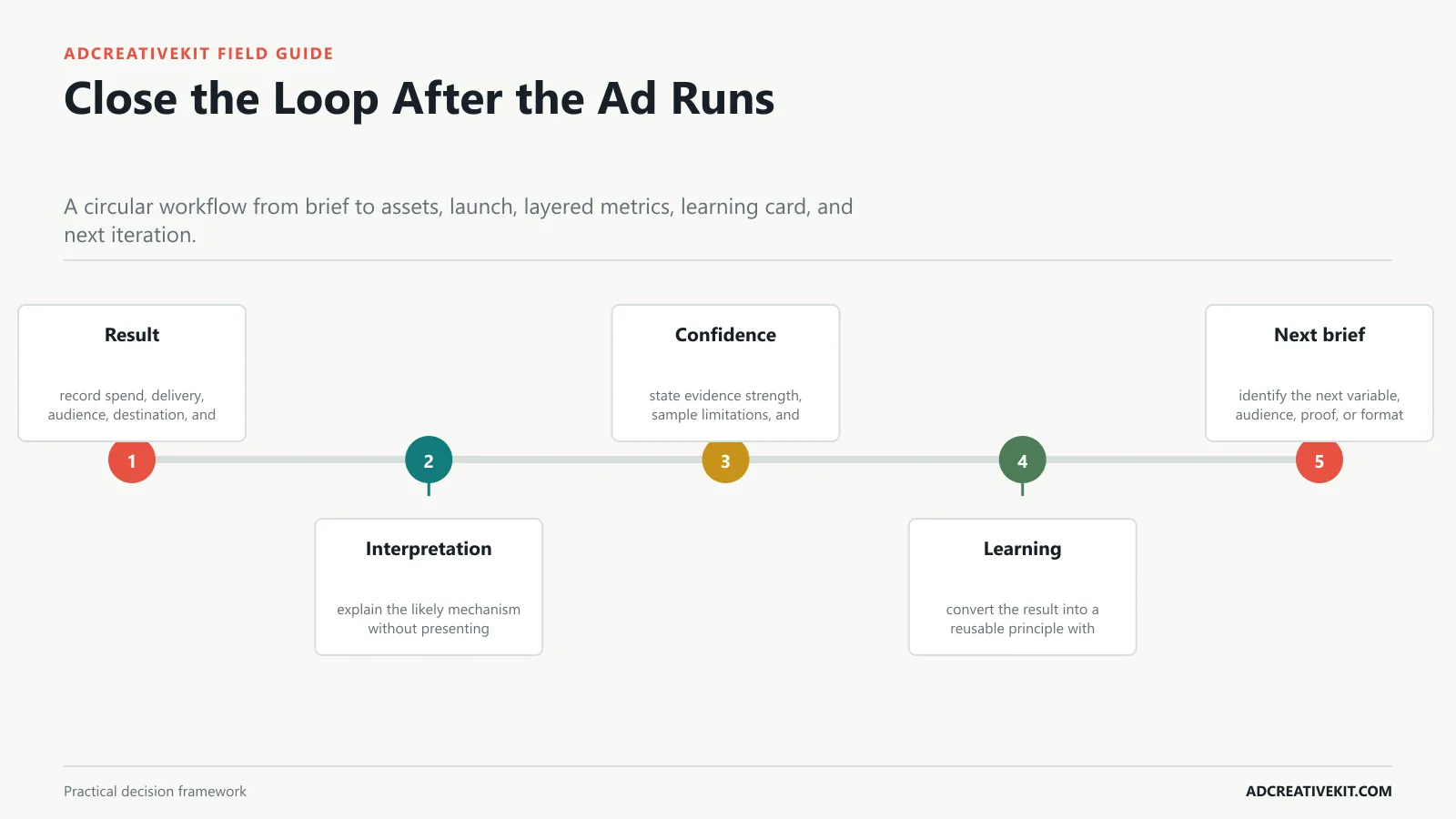
Record results, interpretation, confidence, reusable learning, and the next brief rather than archiving only the winning file.
Feedback loop
Begin with result: record spend, delivery, audience, destination, and relevant outcome metrics. Then inspect interpretation: explain the likely mechanism without presenting correlation as proof.
- Result: record spend, delivery, audience, destination, and relevant outcome metrics.
- Interpretation: explain the likely mechanism without presenting correlation as proof.
- Confidence: state evidence strength, sample limitations, and alternative explanations.
- Learning: convert the result into a reusable principle with boundaries.
- Next brief: identify the next variable, audience, proof, or format to test.
The Handoff Test
Before approving the brief, give it to someone who did not attend the strategy meeting. Ask them to identify the audience decision, single message, approved proof, test variable, deliverables, destination, and reviewer. If they must recover those answers from chat messages or a follow-up call, the brief is not finished.
Keep subjective style words such as “premium,” “bold,” or “authentic” only when they are paired with annotated references and clear exclusions. A usable handoff explains what a reference contributes—pacing, framing, density, demonstration, or tone—without asking the production team to copy another brand.
Frequently asked questions
How long should an ad creative brief be?
Keep the strategic core to one page when possible, then attach only the production, claims, or localization details required for that format.
Who should own the brief?
One accountable strategist should own coherence, while specialists approve claims, production, media, and legal details in their domains.
Should creators receive rigid scripts?
Control claims, promise, proof, offer, CTA, and test variables. Leave room for natural delivery when authenticity is part of the format.
Turn this guide into an operating asset
Save the framework with the evidence, owner, date, and decision attached. That turns a one-time article into a repeatable review system and prevents future teams from treating an old output as a universal rule.