Facebook Ad Template: Layouts, Copy, and Testing Guide
A Facebook ad template should answer four production questions: what remains fixed, what may change, how the idea adapts by placement, and where the result will be recorded. Without those answers, a template is merely a reusable canvas.
This article builds a component-based operating system around brief, copy hierarchy, media roles, placement variants, review ownership, and campaign learning. A template should standardize production decisions, not freeze every campaign into the same visual or persuasion pattern.
Quick answer: Standardize component roles and handoffs, not the persuasion idea itself. Give every campaign a clear job, assemble only relevant components, and attach performance context to the template record.
Free Facebook Ad Templates by Ecommerce Goal
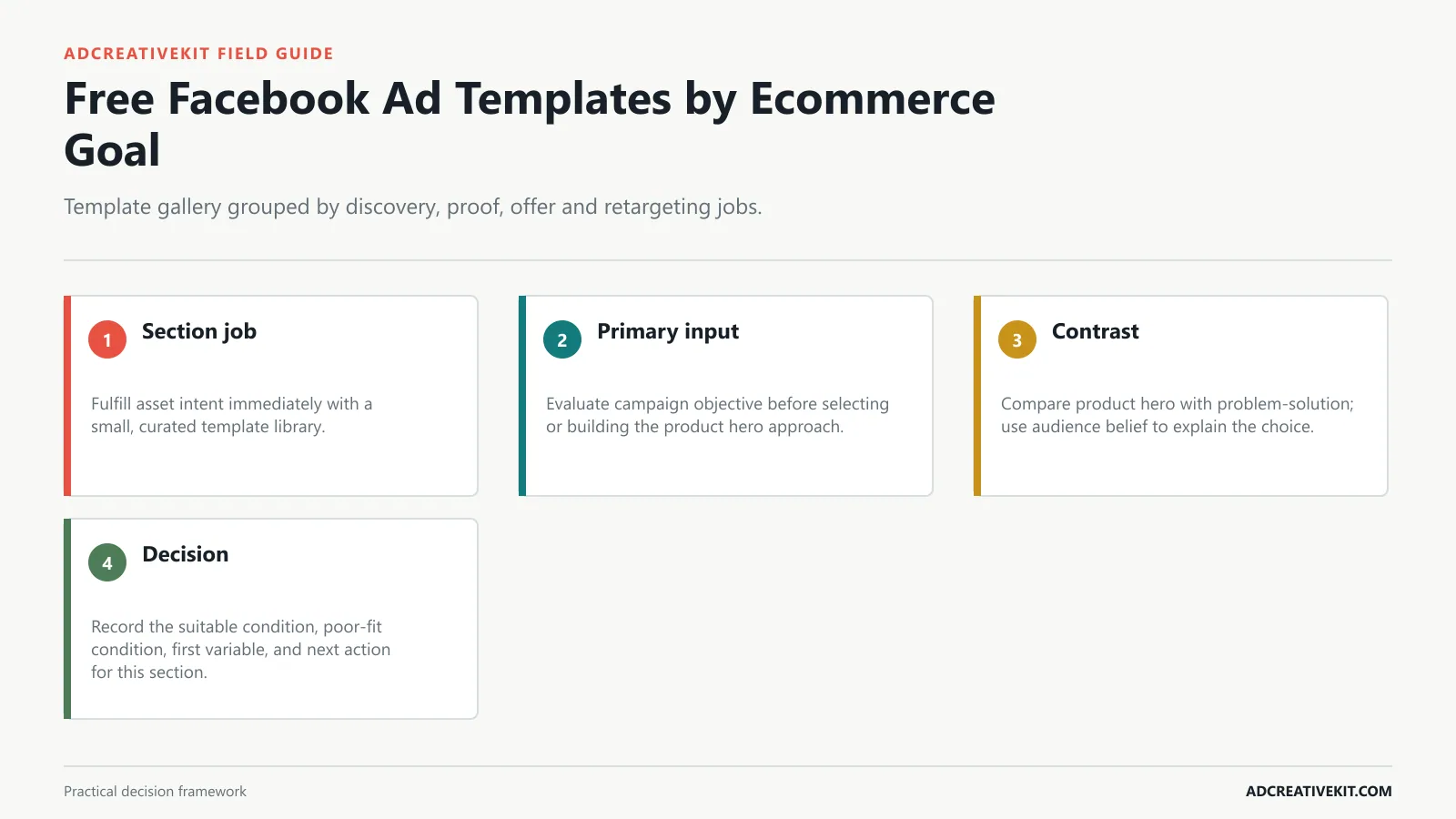
Start with a small library organized by conversion job: discovery, explanation, proof, offer, objection, and retargeting. A visitor looking for an editable asset should be able to choose without reading a hundred nearly identical thumbnails. The file should reveal which components are fixed, which can vary, and which campaign question the product hero execution is meant to answer.
A strong Facebook ad template gives you more than a nice layout. It gives you a repeatable structure for turning an idea into a campaign-ready creative. Instead of guessing where the headline should go, how much text to use, or what the call to action should look like, you start with a proven framework and customize it for your product, audience, and offer.
You do not need a full creative department to launch polished ads. With editable templates, a small business owner or marketer can create professional-looking creatives faster.
This format shows the contrast between the old way and the improved way. It works well when your offer saves time, improves clarity, or makes a difficult task easier.
Best for: warm audiences, sales events, product bundles, and retargeting campaigns.
The visual template matters, but the written message matters too. Here are simple copy frameworks you can pair with your creative.
It is built for marketers and business owners who want to create campaign assets faster without starting from a blank canvas every time.
Map campaign objective into a reusable component, then connect audience belief to the destination. A component library speeds work only when the team can trace each variation back to a brief and a measurable reason.
A curated library should help the reader choose by conversion job, not compete on raw thumbnail count.
| System layer | Owner question | Output |
|---|---|---|
| Brief | Which buyer belief should this ad move? | One campaign job and evidence requirement |
| Components | Which roles stay reusable? | Hook, product, proof, offer, CTA, and brand fields |
| Adaptation | What changes for each placement? | Feed and vertical compositions with safe crops |
| Learning | What did the comparison resolve? | Dated result, caveat, and next brief action |
Confirm current requirements in Meta Photo Ads. Use the source for platform or compliance facts, while keeping performance conclusions tied to your own account evidence.
Choose a Template by Funnel Stage
Match the template to the next belief the audience needs. Cold prospects may need relevance and comprehension; warmer shoppers may need evidence, differentiation, reassurance, or accurate offer terms. The file should reveal which components are fixed, which can vary, and which campaign question the problem-solution execution is meant to answer.
This guide shows you what a Facebook ad template should include, which layouts are worth testing, how to customize templates in a way that feels original, and how to connect each creative back to your campaign goal.
A good Facebook ad template should be simple, readable, and focused. The layout should guide the viewer toward one main idea.
Best for: transformation offers, service businesses, templates, software, and workflow products.
The template gives you the layout. Customization makes it feel like your campaign.
Body: [Product/solution] helps you [main outcome] without [common frustration].
Start with the main guide to ad templates , then use Facebook-specific templates to create multiple campaign variations for your next launch.
Map audience belief into a reusable component, then connect creative format to the destination. A component library speeds work only when the team can trace each variation back to a brief and a measurable reason.
Mark prerequisites such as credible reviews, demonstration footage, substantiated comparisons, or real promotion terms before a template becomes selectable.
Build checklist
- Assign problem-solution a campaign job.
- Mark components controlled by audience belief.
- Document how creative format changes across placements.
- Attach the result to the next brief.
The Anatomy of a Clear Facebook Ad
A reusable anatomy defines the roles of the hook, product, proof, offer, CTA, and brand. It does not force every execution into identical proportions when the argument changes. The file should reveal which components are fixed, which can vary, and which campaign question the demo execution is meant to answer.
A Facebook ad template is a pre-designed layout made for Facebook or Meta ad placements. It usually includes a structure for the visual creative, headline area, product image, benefit statement, brand element, and call to action.
The hook is the first thing people notice. It can be a headline, question, bold claim, problem statement, or benefit. The best hooks are specific enough to make the right person pause.
This layout puts the product or bundle front and center. It is simple, direct, and useful for warmer audiences who already understand the problem.
Do not choose a design just because it looks good. Choose one that fits what the ad needs to do. A cold audience ad may need more education. A retargeting ad may need a stronger offer or proof.
Example: Tired of designing every ad from scratch? AdCreativeKit helps you launch polished Meta ad creatives faster with editable templates for ads, emails, and landing pages.
Ready to build ads faster? Explore the AdCreativeKit digital marketing bundle .
Map creative format into a reusable component, then connect placement to the destination. A component library speeds work only when the team can trace each variation back to a brief and a measurable reason.
Include funnel stage, destination, and first test variable with each layout so the asset arrives with a reason to exist.
Product and Benefit Ad Templates
Product and benefit layouts work when the value can be understood quickly. Use a recognizable product image, one outcome, and supporting evidence rather than a feature pile. The file should reveal which components are fixed, which can vary, and which campaign question the review execution is meant to answer.
Most templates are editable in tools like Canva, Figma, Photoshop, or other design software. That means you can replace the text, images, colors, fonts, and offer while keeping the original layout structure.
Do not try to explain everything inside one creative. A Facebook ad template should support one angle at a time, such as saving time, reducing design cost, improving testing speed, or promoting a limited offer.
Best for: retargeting, product launches, promotional campaigns, and bundle offers.
A good headline feels specific. Use the words your audience would use to describe the problem or desired result.
Templates work best when you use them to test deliberately. Here is a simple process.
Map placement into a reusable component, then connect destination page to the destination. A component library speeds work only when the team can trace each variation back to a brief and a measurable reason.
Recompose for mobile placements; simple resizing rarely preserves crop, type hierarchy, and safe viewing areas.
Learn checklist
- Assign review a campaign job.
- Mark components controlled by placement.
- Document how destination page changes across placements.
- Attach the result to the next brief.
Offer, Sale and Urgency Templates
Offer and urgency templates must show the real terms clearly. State what is included, the valid deadline or availability condition, and any qualification the shopper will encounter after clicking. The file should reveal which components are fixed, which can vary, and which campaign question the comparison execution is meant to answer.
Facebook ad templates are especially useful when you need to create multiple creative variations quickly. Instead of designing one ad from scratch, you can test several angles using different hooks, visuals, or offers.
The viewer should know where to look first. Use size, contrast, spacing, and placement to make the headline, product, and CTA easy to scan.
This design highlights three to five benefits in a clean layout. It works when your product has several clear advantages but you still need the ad to feel easy to scan.
For example, instead of “Better ads in minutes,” try “Create 10 Facebook ad variations without hiring a designer.”
Keep the offer the same so your test is easier to understand. If every ad promotes something different, the results become harder to compare.
Map destination page into a reusable component, then connect campaign objective to the destination. A component library speeds work only when the team can trace each variation back to a brief and a measurable reason.
Store editable masters, approvals, variants, and test learnings together so the system remains reusable after launch.
Review and Social-Proof Templates
Proof layouts should identify the source and preserve context. Use reviews, demonstrations, or customer language only with permission and without editing the evidence into a stronger claim. The file should reveal which components are fixed, which can vary, and which campaign question the founder execution is meant to answer.
Facebook and Instagram ads move fast. People scroll quickly, compare options instantly, and ignore anything that feels confusing or generic. A template helps because it gives your message a cleaner structure.
The ad should show what the reader gets, what the product does, or what result they want. For ecommerce, this might be the product. For a digital product, it could be a mockup, screenshot, bundle preview, or before-and-after concept.
Best for: explaining bundles, services, memberships, and multi-feature products.
Replace placeholders with actual product photos, screenshots, mockups, or bundle previews. Real visuals make the ad more trustworthy.
Use the same campaign goal, but test different creative angles. For example:
Map campaign objective into a reusable component, then connect audience belief to the destination. A component library speeds work only when the team can trace each variation back to a brief and a measurable reason.
Use anatomy labels to clarify what each component must communicate, leaving designers flexibility over the final composition.
Build checklist
- Assign founder a campaign job.
- Mark components controlled by campaign objective.
- Document how audience belief changes across placements.
- Attach the result to the next brief.
Connect this step to the landing page optimization guide so the decision survives the handoff from concept to campaign and post-click experience.
Problem, Solution and Comparison Templates
Problem-solution and comparison templates need fair framing. Describe the old method accurately, compare on relevant criteria, and avoid implying superiority that the product cannot substantiate. The file should reveal which components are fixed, which can vary, and which campaign question the offer execution is meant to answer.
Most campaign delays happen before the ad even launches. The team needs a concept, then a layout, then copy, then revisions. A template shortens that process because the visual direction already exists.
Different layouts work for different goals. Here are practical Facebook ad template formats worth testing.
This layout uses a review, customer quote, rating, or social proof element. It can help reduce skepticism if the proof is real and relevant.
Change the colors, fonts, logo, and image style. Keep the structure, but make the creative look like it belongs to your brand.
Do not judge the ad only by clicks. Look at cost per result, landing page performance, purchases, leads, and return on ad spend when possible.
Map audience belief into a reusable component, then connect creative format to the destination. A component library speeds work only when the team can trace each variation back to a brief and a measurable reason.
Keep product and benefit templates focused on one buyer outcome, with proof that is legible and relevant to that outcome.
Confirm current requirements in Meta Ad Creative Strategy. Use the source for platform or compliance facts, while keeping performance conclusions tied to your own account evidence.
Adapt Templates for Every Placement
Build placement-specific compositions from the same message system. Reflow text, change crops, and protect safe viewing areas instead of shrinking a feed ad until it technically fits vertical video. The file should reveal which components are fixed, which can vary, and which campaign question the carousel execution is meant to answer.
Templates help you produce several creative versions from one campaign idea. That matters because the first ad is not always the winner. Testing different hooks and layouts gives you a better chance of finding what resonates.
This layout starts with a pain point and quickly introduces your product as the solution.
Important: do not invent testimonials. Only use real proof you are allowed to publish.
Most people will see your ad on a phone. If the text looks small on desktop, it will be almost unreadable on mobile. Use short lines and strong contrast.
If one angle performs well, turn it into more variations. Change the layout, image, or headline while keeping the winning message.
Map creative format into a reusable component, then connect placement to the destination. A component library speeds work only when the team can trace each variation back to a brief and a measurable reason.
Make promotion terms inspectable and avoid urgency language that the destination cannot confirm.
Learn checklist
- Assign carousel a campaign job.
- Mark components controlled by creative format.
- Document how placement changes across placements.
- Attach the result to the next brief.
Connect this step to the repeatable ad testing system so the decision survives the handoff from concept to campaign and post-click experience.
Customize, Export and Test the Templates
Preserve an approved master, name each exported variant, and attach the hypothesis to the file. After the test, record what changed, what happened, what remains uncertain, and what the next brief should do. The file should reveal which components are fixed, which can vary, and which campaign question the vertical video execution is meant to answer.
If your ads all look unrelated, your brand can feel scattered. Templates help you keep the same visual language across different campaigns while still testing fresh messages.
Best for: cold audiences, small business offers, productivity tools, ecommerce products, and digital products.
This format focuses on the deal: discount, bonus, limited-time offer, bundle value, or guarantee. It should be clear and not overloaded with extra text.
Turn one template into several ads by changing the hook, image, or benefit. This is where templates become powerful.
If you want to move faster, AdCreativeKit includes editable Meta ad templates along with email templates, landing page designs, ad hooks, and AI copywriting resources.
Map placement into a reusable component, then connect destination page to the destination. A component library speeds work only when the team can trace each variation back to a brief and a measurable reason.
Preserve review context and comparison fairness when translating source evidence into a designed Facebook placement.
Frequently asked questions
What belongs in a reusable Facebook ad template?
Include component roles, editable boundaries, placement versions, copy hierarchy, asset requirements, review notes, and the test question. A blank layout without those decisions is only a design starting point.
Should every campaign use the same component system?
Reuse stable production logic while allowing different persuasion structures. The system should accelerate work without forcing founder stories, comparisons, demos, and offers into one visual mold.
Where should results be stored?
Attach them to the brief or template record with date, audience, offer, placement, spend context, metrics, caveats, and the next decision. A gallery of winners loses the conditions that made them useful.
A component library becomes an operating advantage when strategy can trace every output back to a brief and media buying can return contextual learning to the same record.
Use the Facebook ad creative review checklist before launch, record the hypothesis in the repeatable ad testing system, and inspect post-click continuity with the ecommerce CRO checklist.
Confirm current implementation details in Meta Ad Creative Strategy before production.