Ad Templates: The Complete Guide for Faster Campaign Launches
Ad templates help you launch better-looking campaigns faster, but the real value is not just speed. A strong template gives your campaign a proven structure: a clear hook, a focused message, a visual hierarchy, and a call to action that is easy to understand.
If you are a small business owner, ecommerce brand, freelancer, or marketer, you do not need to design every ad from scratch. You need a repeatable way to create, customize, and test ad creatives without wasting hours on layout decisions.
This guide explains what ad templates are, which types matter most, how to customize them, and how to use them to test more campaign ideas across Meta, Instagram, TikTok, Google, and other platforms.
What Are Ad Templates?
Ad templates are pre-designed layouts that help you create advertising creatives faster. Instead of starting with a blank design file, you start with a structure that already includes space for a headline, image, benefit, offer, logo, and call to action.
Most ad templates are made for specific platforms or creative formats, such as Facebook feed ads, Instagram stories, TikTok videos, display banners, or static ecommerce product ads.
The best templates are editable, usually in tools like Canva or Figma, so you can replace the copy, colors, images, and branding with your own.
Ad templates are not finished ads
This is important: a template is a starting point, not a final campaign. If you only replace the logo and leave everything else generic, your ad may still feel weak. The template gives you structure. Your offer, audience insight, product proof, and hook make it persuasive.
Why Use Ad Templates?
Templates are useful because most businesses do not lose because they lack ideas. They lose because it takes too long to turn ideas into testable creatives.
1. You can create more ad variations
Ad performance is often found through testing. One creative might fail while another version of the same offer performs well because the hook, image, or layout is stronger.
Templates make it easier to create multiple versions quickly. For example, you can test:
- different hooks
- different product images
- different offers
- different calls to action
- different design angles
If you want a deeper testing framework, read our guide to A/B testing ad creatives.
2. You save design time
A blank page slows people down. You have to decide layout, spacing, font size, image placement, hierarchy, and visual direction before you even test the message.
A template removes many of those decisions. You can spend more time on the offer and less time moving boxes around.
3. Your campaigns look more consistent
Consistency matters. When your ads, landing pages, and emails feel connected, your brand looks more professional and trustworthy.
This is especially useful if you use ad templates together with landing page and email templates. The full campaign feels like one journey instead of disconnected pieces.
4. You can launch without a full creative team
Not every business has a designer, copywriter, and media buyer. Templates give smaller teams a practical way to create polished marketing assets without hiring for every campaign.
Types of Ad Templates Worth Using
There are many types of ad templates, but these are the most useful for businesses that want to launch and test campaigns faster.
Facebook ad templates
Facebook ad templates are designed for Meta placements such as the Facebook feed, Instagram feed, stories, reels, and other placements across Meta’s ad network.
Good Facebook templates usually include a strong headline area, product visual, benefit callout, and simple CTA. They work well for ecommerce offers, lead magnets, services, courses, and digital products.
For more specific examples, use this guide: best Facebook ad templates for ecommerce.
Instagram ad templates
Instagram is more visual, so templates need to feel clean, polished, and easy to understand fast. The best Instagram ad templates work well on mobile and do not rely on tiny text.
Use Instagram templates for product launches, promotions, educational posts, testimonial-style ads, and story creatives.
Static ad templates
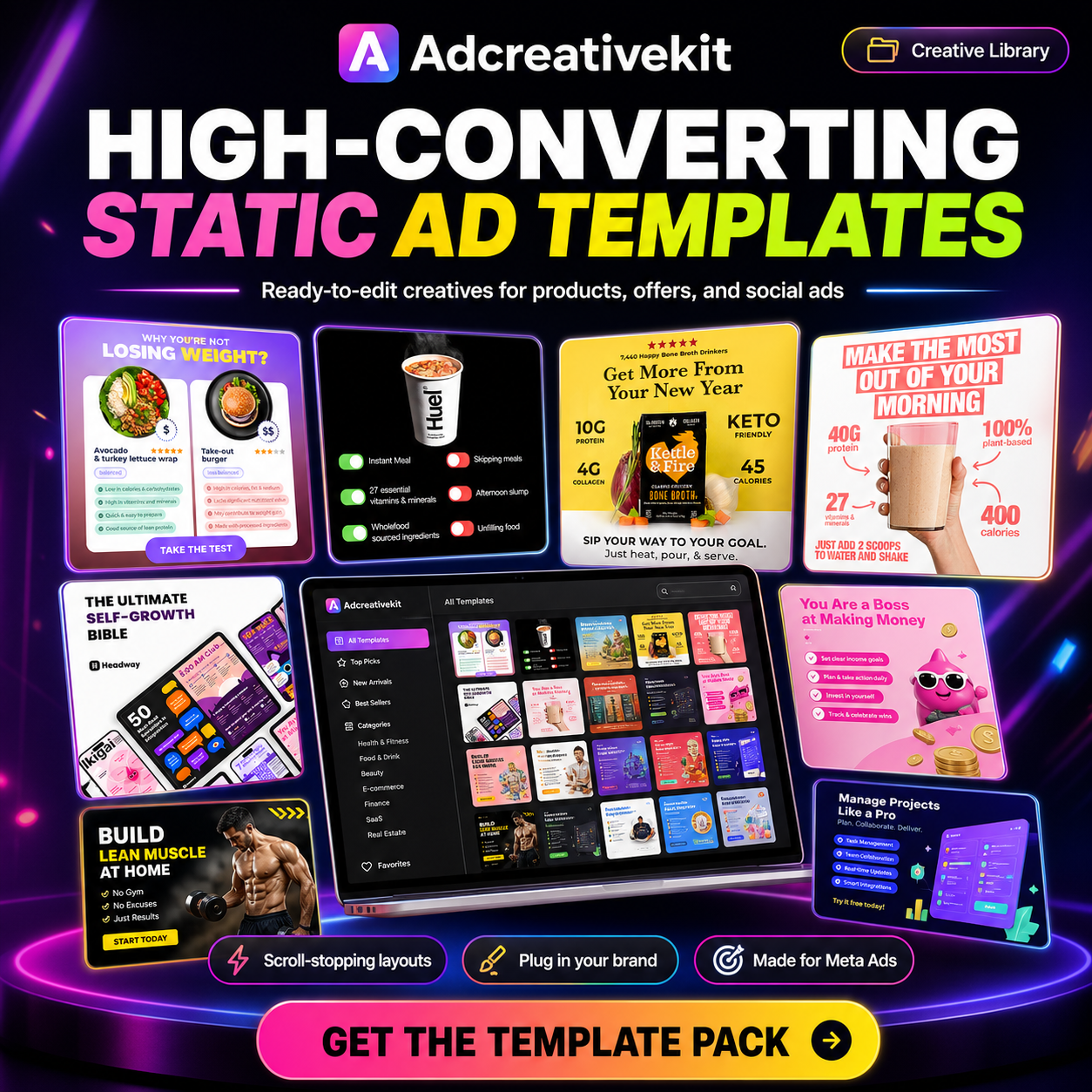
Static ads are single-image creatives. They are simple, fast to produce, and still useful for many campaigns.
A good static ad can communicate one message clearly. That makes it ideal for testing hooks, benefits, offers, and product positioning.
We explain this format in more detail here: static ad templates for Facebook and Instagram ads.
Video ad templates
Video ad templates help you structure short-form videos, slideshows, reels, and TikTok-style creatives. They usually include scenes for the hook, problem, product, proof, offer, and CTA.
Video can be powerful, but it also takes more work. A template keeps the flow organized so you are not guessing what each scene should do.
TikTok ad templates
TikTok ad templates need to feel native to the platform. That means strong openings, simple text overlays, mobile-first framing, and a fast pace.
When creating TikTok ads, pay attention to safe zones so important text is not hidden by buttons, captions, or interface elements.
Canva ad templates
Canva ad templates are popular because they are beginner-friendly. You can edit colors, fonts, images, shapes, and text without needing advanced design software.
If you are using Canva, start with this step-by-step guide: how to use Canva for Facebook ad templates.
Ad copy templates
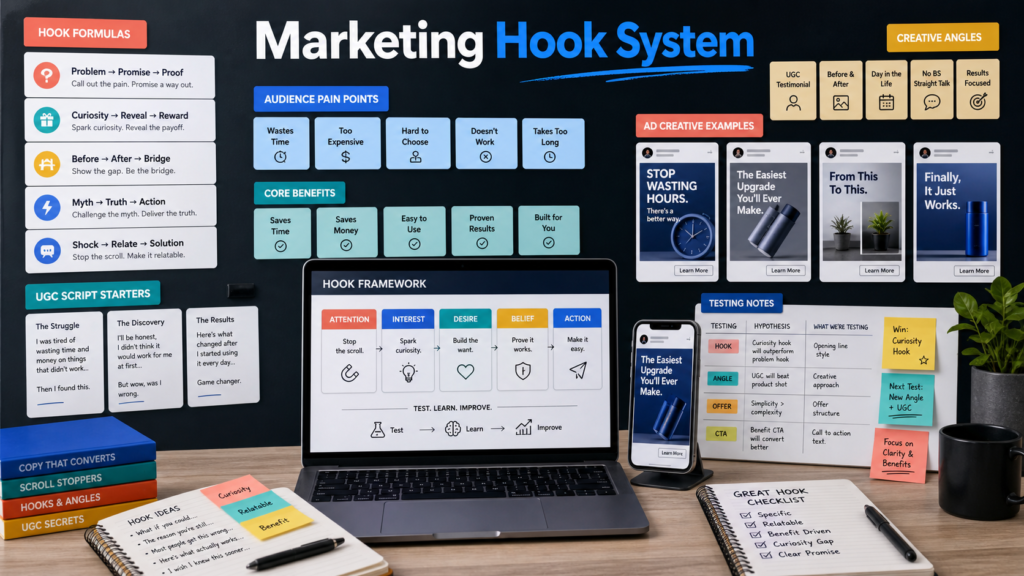
Design is only part of the ad. Copy templates help you structure the message itself. A strong ad copy template can guide your hook, pain point, benefit, proof, and CTA.
For example, a simple structure could be:
- Hook: call out the problem or desired result
- Body: explain the benefit clearly
- Proof: add a reason to believe
- CTA: tell the reader what to do next
You can pair this with our ad hook templates to create more variations.
What Makes a Good Ad Template?
A good ad template is not just attractive. It is built to communicate quickly.
Clear visual hierarchy
The viewer should immediately understand what to read first, what the ad is about, and what action to take next. If every element screams for attention, the ad becomes harder to process.
One main idea
Each ad should focus on one message. Do not try to include every benefit, feature, discount, testimonial, and guarantee in one creative.
One ad equals one angle.
Room for a strong hook
The hook is what stops the scroll. A template should give your hook enough space to be visible, readable, and clear on mobile.
Mobile-friendly spacing
Most people see ads on phones. Text should be readable, images should be clear, and the layout should not feel crowded on a small screen.
Easy editing
If a template takes too long to customize, it defeats the purpose. The best ad templates are organized, editable, and easy to adapt to different offers.
How to Customize Ad Templates
Here is a simple process you can use every time you start from a template.
Step 1: Choose the campaign goal
Before editing anything, decide what the ad needs to do. Are you trying to sell a product, generate leads, promote a discount, warm up a cold audience, or retarget visitors?
Your goal affects the message and layout.
Step 2: Choose one audience angle
Do not write for everyone. Pick one audience segment and one reason they should care.
For example:
- busy ecommerce founders who need ads faster
- marketers who need more creative variations
- small business owners who cannot hire a designer
Step 3: Replace the headline with a specific hook
Generic headline: “Grow your business today.”
Stronger headline: “Launch 5 new ad creatives before lunch.”
The second version is more specific, visual, and connected to a real benefit.
Step 4: Add your own product visuals
Use your product images, screenshots, mockups, or customer results when possible. This makes the template feel more original and relevant.
Step 5: Match your brand style
Change colors, fonts, icons, and image style so the template matches your brand. You do not need to redesign everything. Small brand edits can make a big difference.
Step 6: Create several versions
Do not stop after one ad. Create multiple variations using the same layout with different hooks or images. This gives you more data and a better chance of finding a winning creative.
How to Test Ad Templates
The goal of templates is not just to make ads faster. It is to help you test more intelligently.
Start with 3 to 5 creative variations
For a simple campaign, create three to five ads around the same offer. Keep the offer consistent and test different hooks or visual angles.
Change one major element at a time
If you change the headline, image, offer, CTA, and audience all at once, you will not know what caused the result. For cleaner testing, change one or two major elements per test.
Look beyond clicks
A high click-through rate is useful, but it is not the only signal. Look at landing page engagement, leads, purchases, cost per result, and return on ad spend when available.
Turn winners into new variations
When one ad performs well, do not stop. Create new versions around the same winning angle. Try different layouts, colors, proof points, and CTAs while keeping the core idea.
Common Ad Template Mistakes to Avoid
Using templates without changing the message
Your audience does not care that the layout is nice. They care about the problem, promise, product, and outcome. Always customize the copy.
Adding too much text
If your creative looks like a paragraph squeezed into a square, simplify it. Use the ad to communicate the main idea, then use the landing page to explain more.
Ignoring platform format
An Instagram story, Facebook feed ad, and TikTok video do not behave the same way. Choose templates that fit the placement.
Forgetting the landing page
The ad creates the click, but the landing page closes the next step. Make sure your landing page matches the message in the ad.
If your landing page needs work, read this guide on landing page optimization.
How to Use AdCreativeKit in This Workflow In
AdCreativeKit gives marketers and business owners a practical shortcut for creating campaign assets faster. Instead of building every creative, email, and landing page from scratch, you can start with editable templates and customize them for your offer.
The bundle includes Meta ad templates, email templates, landing page designs, ad hooks, AI copywriting resources, and other assets designed to help you test more ideas with less friction.
If you want to speed up creative production, improve consistency, and launch more campaign variations, explore the AdCreativeKit digital marketing bundle.
FAQ
What are ad templates?
Ad templates are pre-designed layouts that help you create advertising creatives faster. They usually include space for a headline, image, benefit, logo, and call to action.
Are ad templates good for Facebook ads?
Yes. Facebook ad templates can help you create more creative variations faster, especially for ecommerce, lead generation, promotions, and retargeting campaigns.
Can I use ad templates in Canva?
Yes. Many ad templates are editable in Canva, which makes them easy to customize without advanced design skills.
Do ad templates improve ad performance?
Templates do not guarantee better performance by themselves. They help you create and test more structured creative ideas. Performance still depends on your offer, audience, hook, copy, and landing page.
What should an ad template include?
A strong ad template should include a clear hook area, readable layout, product or visual section, benefit-focused copy, branding, and a simple call to action.
How many ad templates should I test?
Start with three to five variations for one offer. Test different hooks, visuals, or layouts while keeping the campaign goal consistent.