Social Media Post Templates for Business: Formats, Calendar Ideas, and Examples
Social Media Post Templates For Business should help a business publish with more rhythm and less guesswork. The goal is not to make every post look identical; it is to keep the important parts ready: the message, the visual hierarchy, the offer, the proof point, and the next action.
This guide explains what to include, how to choose the right template structure, where mistakes usually happen, and how to connect the article topic naturally with AdCreativeKit when you need editable design assets.
The post formats every business should keep ready
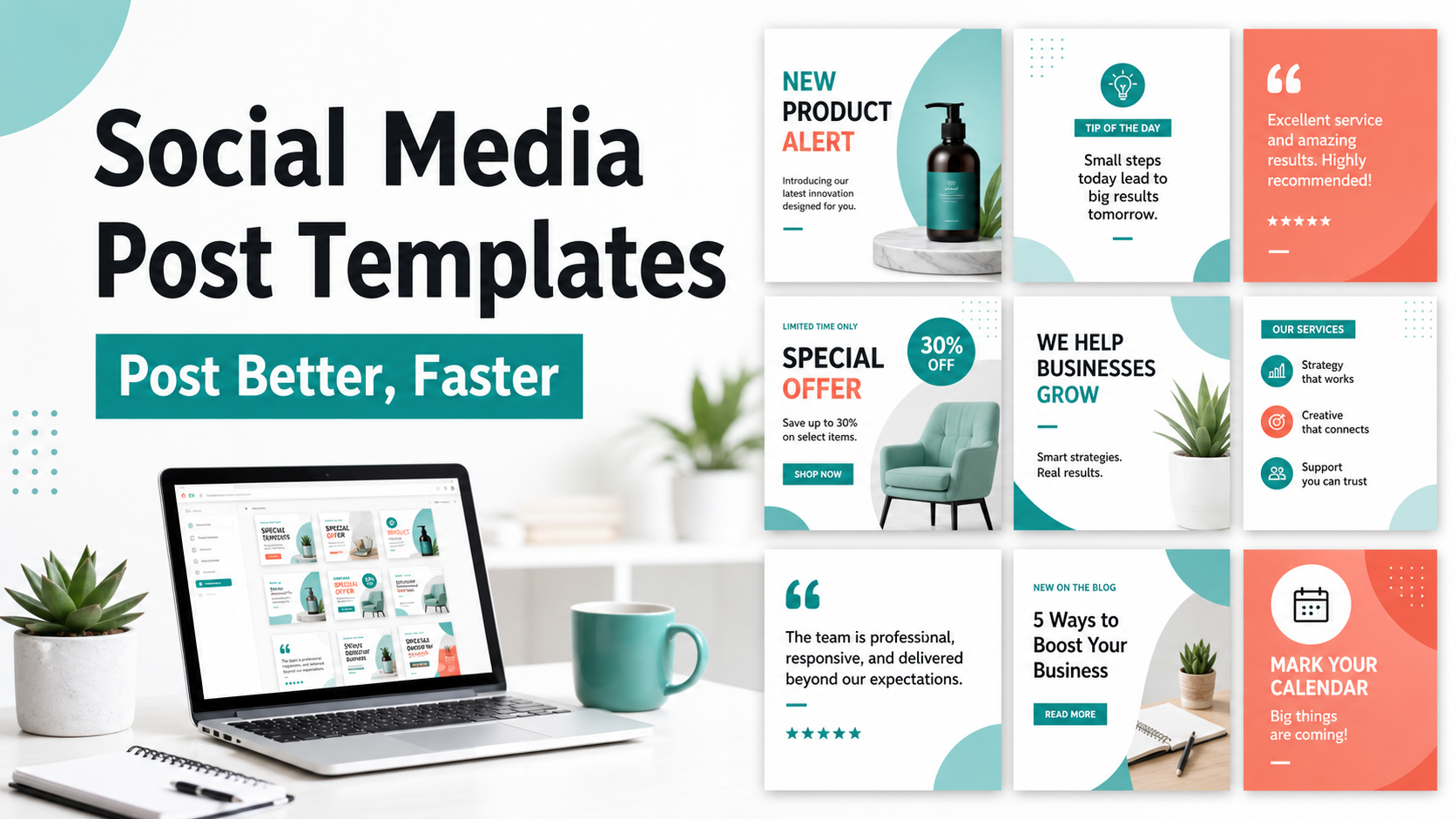
A strong business account usually rotates through a few dependable formats instead of inventing every post from zero. Keep templates for educational tips, product highlights, testimonials, behind-the-scenes content, offers, launch announcements, and objection handling.
| Format | Purpose | Example angle |
|---|---|---|
| Tip post | Teach something useful | 3 ways to make an ad headline easier to scan |
| Proof post | Build confidence | Customer quote or before/after workflow |
| Offer post | Drive action | Limited bundle or seasonal discount |
| Launch post | Introduce something new | Feature reveal with clear next step |
A simple weekly content calendar built from templates
A practical calendar can be simple: Monday education, Wednesday proof, Friday offer, and one weekend recap or behind-the-scenes post. For paid campaigns, connect this planning with ad creative templates so your strongest organic angles can become structured tests.
- Pick three recurring post goals for the month.
- Assign one template family to each goal.
- Batch the visuals first, then write captions with a consistent CTA.
- Review for mobile cropping and readability.
- Track which themes produce saves, comments, clicks, or inquiries.
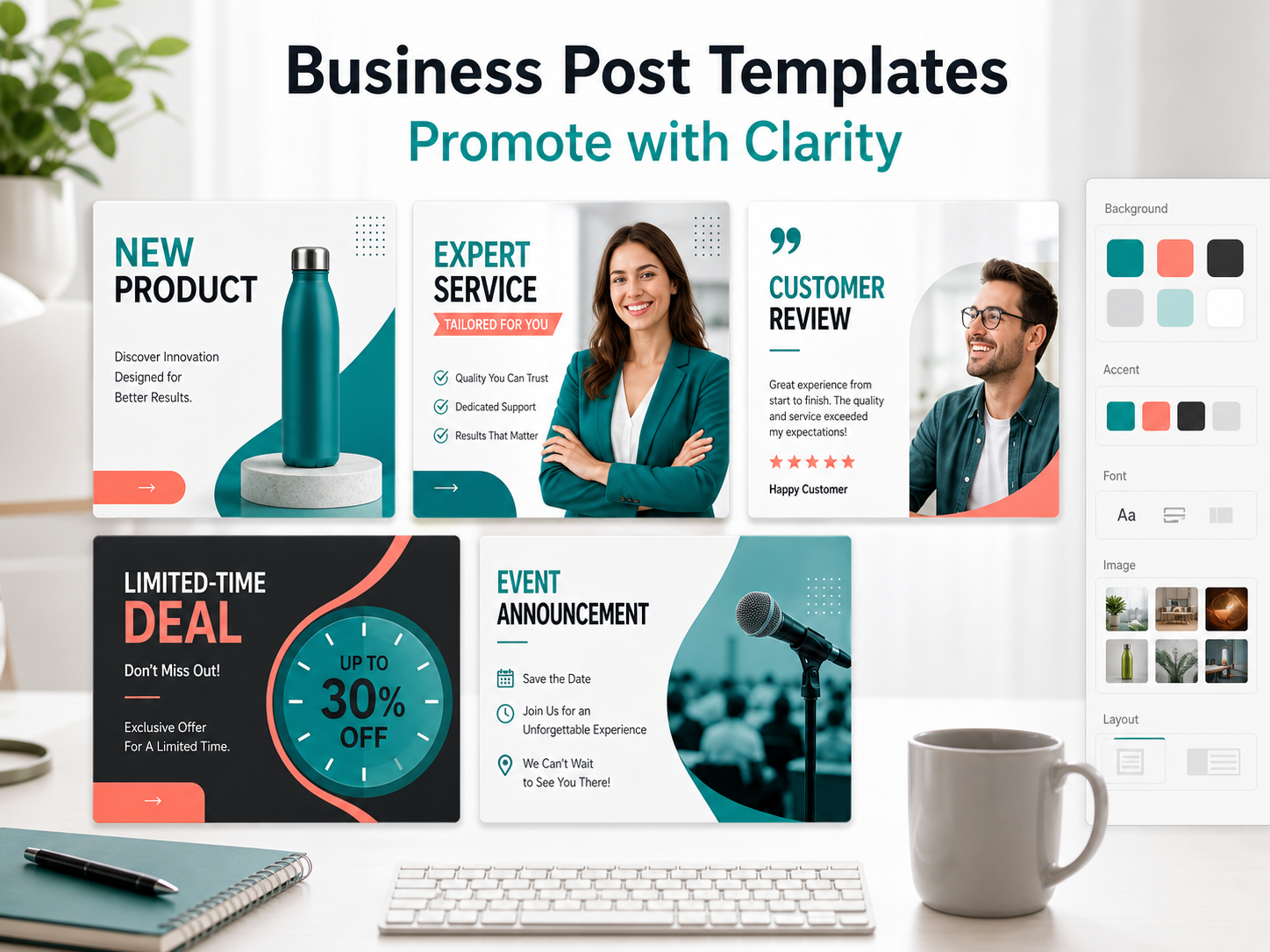
Social post examples for offers, proof, education, and launches
| Post type | Hook | CTA |
|---|---|---|
| Education | Your ad template should answer one question before it looks pretty. | Save this checklist |
| Proof | A clearer layout can make the offer easier to understand. | See the campaign examples |
| Offer | Build your next promo set without starting from a blank file. | Explore the template kit |
| Launch | New campaign assets are live for faster product promos. | View the collection |
When an organic post template becomes an ad creative
Organic templates and ad templates overlap, but they are not identical. Before using a post as an ad, review platform requirements and placement previews. Meta maintains an official Meta Ads Guide that is useful for checking current placement guidance.
Common social template mistakes that hurt clarity
- Treating every post as a direct sales message.
- Using tiny text that disappears on mobile.
- Changing the design but not the message.
- Publishing without a clear post goal.
- Using the same caption structure for every format.
How AdCreativeKit helps with recurring social content
AdCreativeKit can help when you want a library of editable campaign visuals instead of isolated one-off posts. It works especially well alongside marketing templates for small business for recurring promotions and Canva templates for ads for editable advertising workflows.
How to build a reusable content bank from templates
A content bank prevents the common problem of needing a post and having no idea what to say. Create folders or labels for education, proof, offer, objection, product, founder story, and customer question content. Each folder should contain a few layouts and a few caption prompts.
For example, a customer question can become a carousel, a single tip graphic, a short video cover, and an ad angle. The template keeps production manageable, but the original question keeps the post grounded in something real.
Caption prompts that make templates more specific
| Post goal | Caption prompt | Example CTA |
|---|---|---|
| Educate | What mistake does the audience make before they know better? | Save this for your next campaign |
| Build trust | What proof or process detail reduces doubt? | See the examples |
| Promote | What is included and who is it for? | View the template collection |
| Start a conversation | What decision is the reader currently comparing? | Comment with your campaign type |
How to measure social templates without obsessing over vanity metrics
Likes can be useful, but they do not tell the whole story. Track saves for educational posts, replies or comments for conversation posts, profile visits for awareness posts, and clicks or inquiries for promotional posts. Compare similar post types against each other instead of comparing every post to the highest-performing post of the month.
How to make templates feel more human
Business social content becomes flat when every post is built from the same polished structure. Add variety by changing the source material: customer questions, founder notes, product screenshots, process photos, quick lessons, and objections from sales conversations. The design can stay consistent while the content feels alive.
A useful rule is to make every template answer one reader thought. If the reader is thinking, “Will this work for my business?”, use proof or examples. If they are thinking, “What should I do first?”, use a checklist. If they are comparing options, use a simple side-by-side post. This keeps templates from becoming decorative filler.
Social Content Pillars for Business Templates
A business should not post only promotions. Build reusable templates around four pillars: education, proof, offer, and behind-the-scenes context. Education builds trust, proof reduces risk, offers drive action, and behind-the-scenes posts make the brand easier to recognize.
When an organic post performs well, turn the idea into a paid test using ad creative templates or a more specific campaign asset like product promotion templates. This keeps organic content from living separately from paid learning.
Review that library monthly.
FAQ
What are social media post templates for business?
Social Media Post Templates For Business are reusable layouts, briefs, copy structures, or campaign assets that help you create marketing material faster while keeping the message organized. The best templates still need your audience, offer, brand style, and final review.
Are social media post templates for business worth buying?
They can be worth buying if they save production time, match your campaign goals, and are flexible enough to edit. Avoid packs that only look attractive in previews but do not provide useful structures for real offers, proof, CTAs, and channel requirements.
Can I use the same template on every platform?
Usually not without adjustment. Different channels crop images differently, use different dimensions, and reward different reading behavior. Use the template as a starting point, then check placement previews, mobile readability, file type, and any current platform requirements.
How do I avoid making templates look generic?
Replace more than colors and logos. Rewrite the hook, use real product or brand imagery, remove unnecessary decoration, choose a specific CTA, and create a few variations for different audiences or offers.
Conclusion
The best social media post templates for business make campaign work clearer, faster, and easier to repeat. Use them as structured starting points, keep the message specific, check current platform requirements, and connect each asset to a real campaign goal before publishing.