Product Launch Templates: A Practical Control System
A product launch template is valuable only when it helps a team make decisions before pressure arrives. A calendar of tasks is useful, but it does not tell you whether the offer is understood, the product is ready, tracking works, inventory can support demand, or launch creative answers the buyer’s real objections.
Quick answer: Use one connected launch system: choose the launch tier, complete a one-page brief, assign milestones and owners, pass evidence-based readiness gates, build a messaging matrix, operate launch day from a command plan, measure qualified outcomes, and convert the retrospective into better defaults.
Choose the Right Product Launch Tier
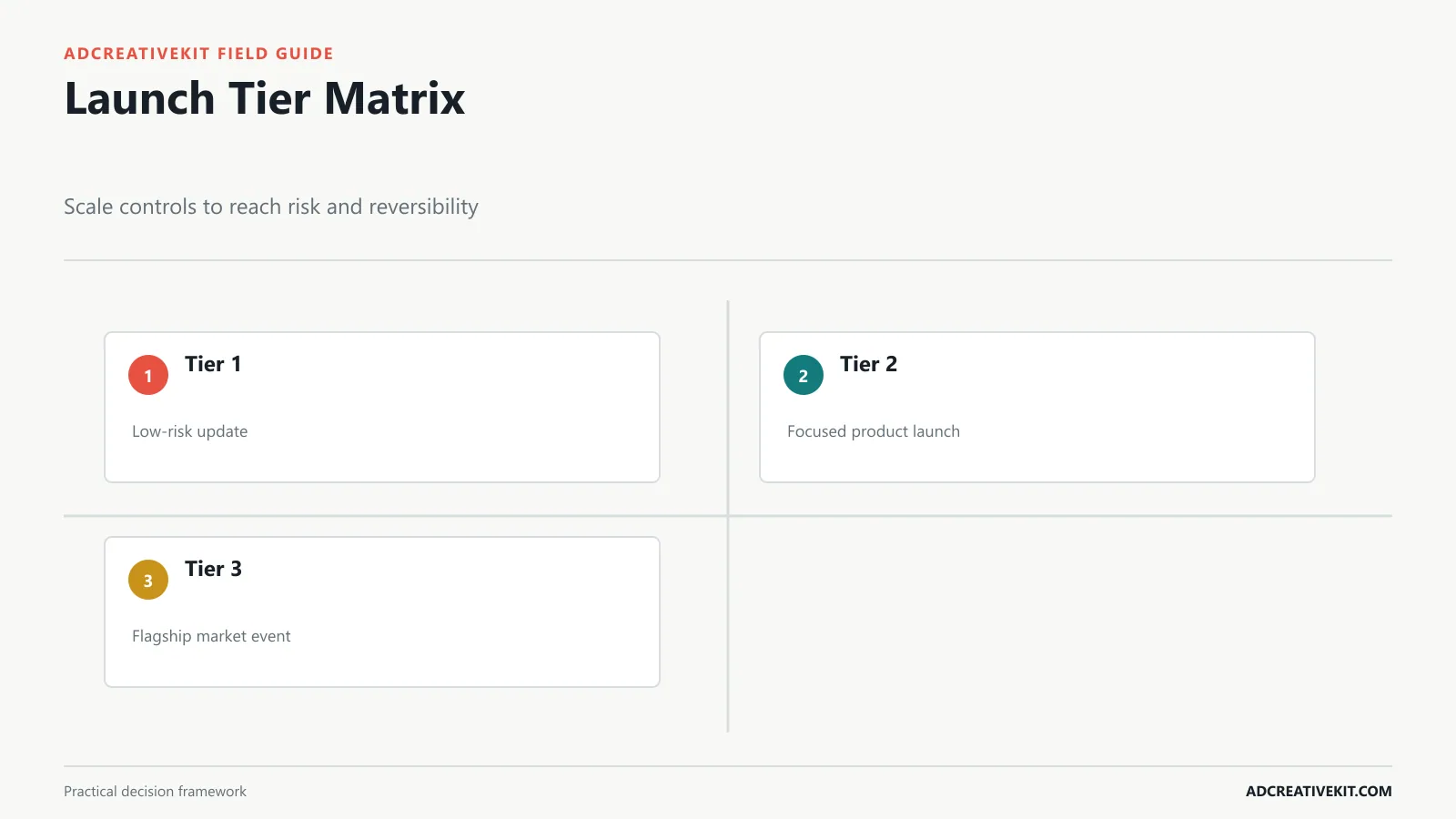
Not every release needs a six-week campaign. A quiet feature update, a focused product launch, and a flagship market entry carry different operational and reputational risk. Tiering prevents small releases from drowning in process and important launches from depending on memory.
| Tier | Typical scope | Minimum controls | Useful channels |
|---|---|---|---|
| 1: update | Low-risk, reversible change | Owner, QA, release note, core tracking | Owned product and lifecycle |
| 2: focused | New product, collection, or meaningful feature | Brief, timeline, creative matrix, readiness review | Owned plus selected paid and partner channels |
| 3: flagship | High-reach or difficult-to-reverse launch | Full gates, command plan, escalation, fallback, executive decisions | Coordinated cross-channel campaign |
Choose the tier using reach, revenue exposure, support impact, inventory or infrastructure risk, claim sensitivity, and reversibility. Document who can change the tier. If a Tier 2 launch gains a major partner, hard deadline, or unusually large media commitment, the controls may need to increase.
Start With a One-Page Launch Brief
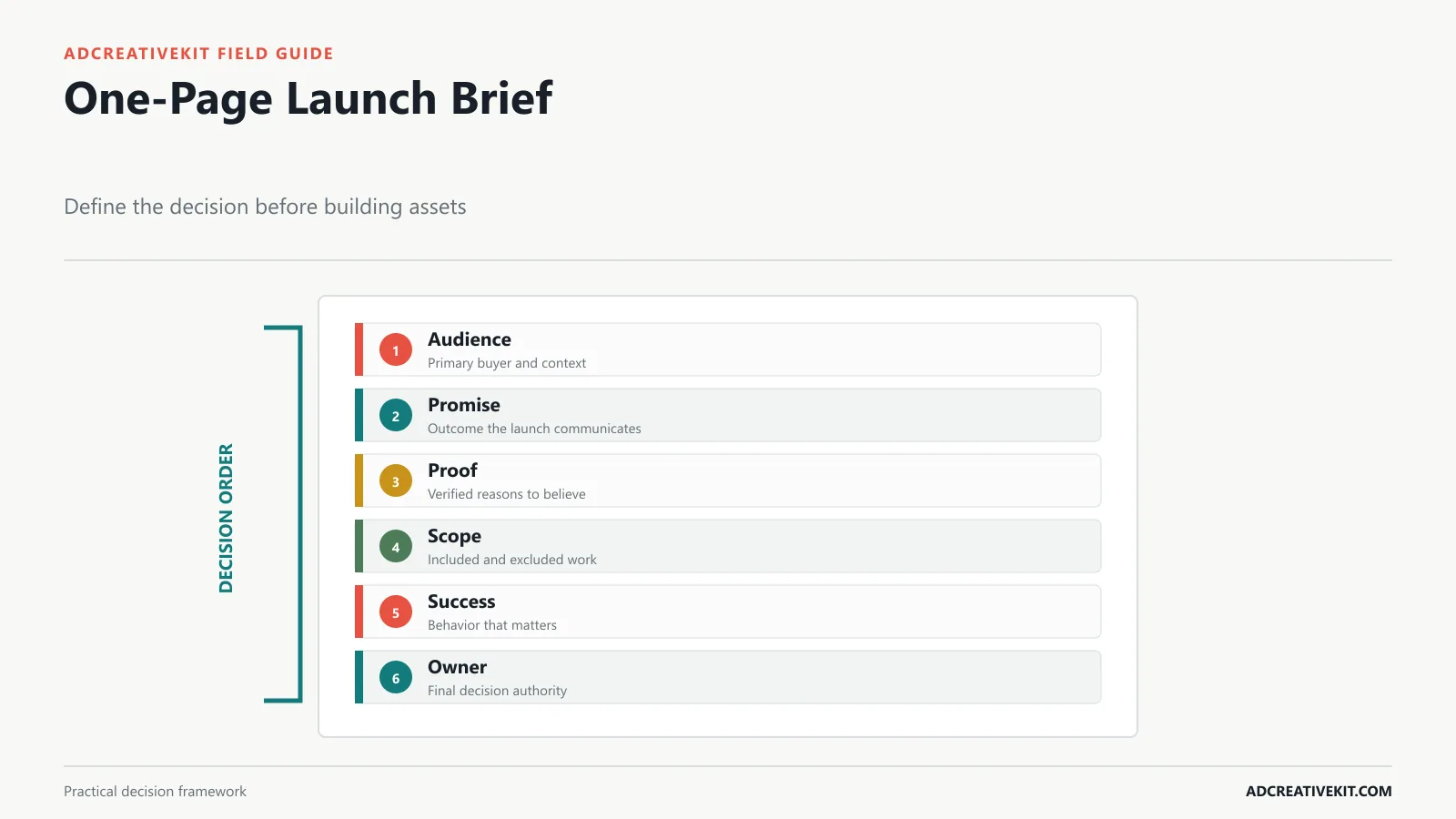
The brief is the source of truth for why the launch exists. Capture the primary audience, problem, promise, proof, offer, scope, timing, constraints, success behavior, and decision owner. State what is not included. A clear exclusion list prevents late requests from quietly changing the launch.
For an ecommerce product, an example might define: “Help apartment cooks see that this compact appliance fits limited counters and replaces three tools.” Proof could include verified dimensions, demonstrations, warranty, and customer feedback. The brief should not say “build awareness and drive sales” without specifying which audience, behavior, and time window matter.
Separate facts from assumptions. Product dimensions and shipping capacity can be verified; the best acquisition angle is a hypothesis. This distinction tells the team what must be confirmed before launch and what should be tested after it. When paid media is central, connect the launch brief to a dedicated ad creative brief.
Build the Launch Timeline and Ownership Map
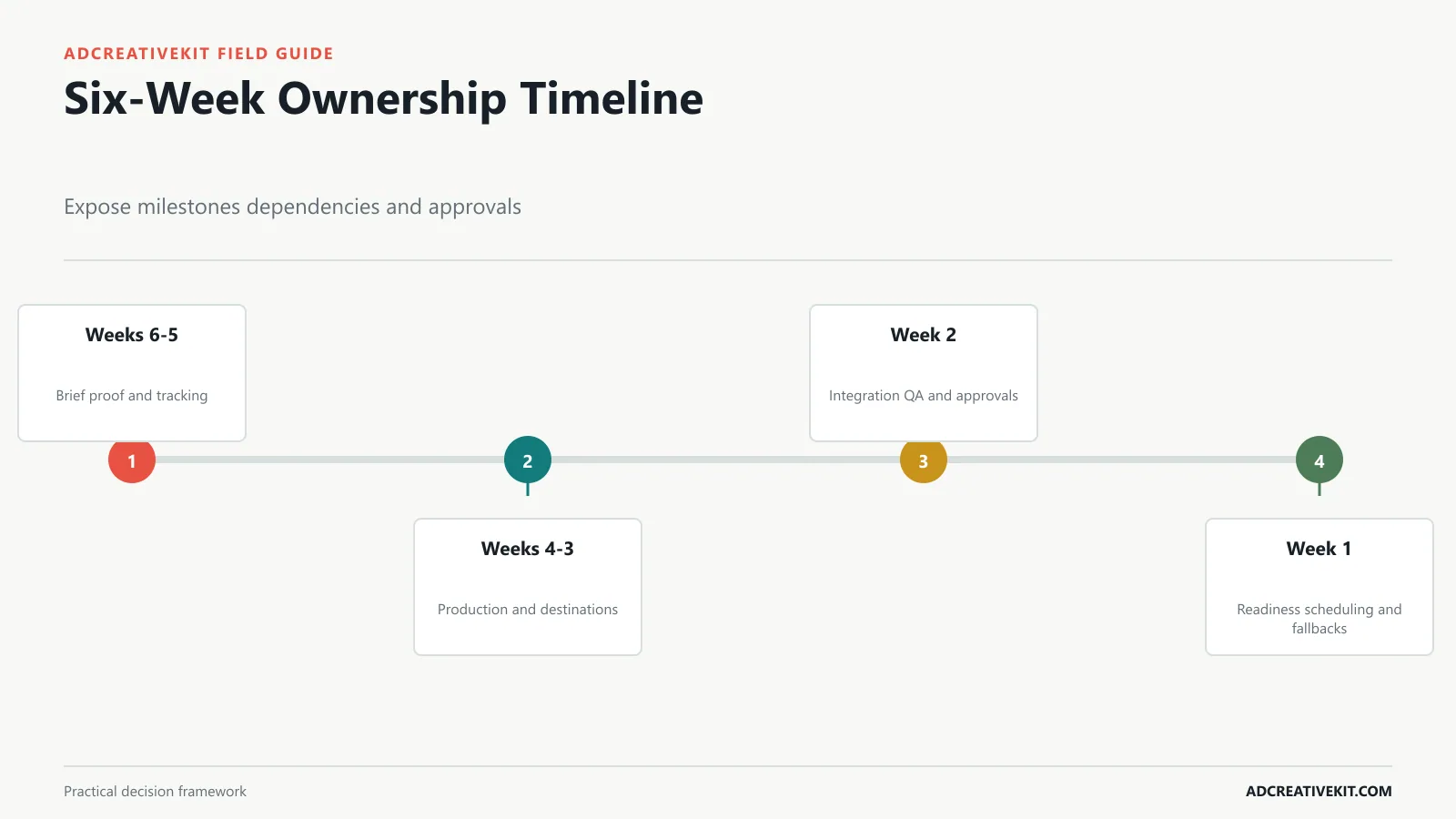
Work backward from the earliest irreversible moment, not only announcement day. Media booking, production, legal review, inventory movement, app-store review, and partner commitments may require decisions before the public launch. Put dependencies directly into the plan: landing-page copy cannot be approved until claims are verified; ads cannot enter review until destinations and terms exist.
Every milestone needs one directly responsible owner, a due date, status, evidence link, approver, and consequence of delay. Contributors can be many; final ownership should be singular. Use swimlanes for product, creative, paid media, lifecycle, sales, support, analytics, and operations so bottlenecks are visible.
A practical six-week model is: weeks six and five for brief, proof, tracking design, and creative concepts; weeks four and three for production, landing page, lifecycle, and support preparation; week two for integration QA and approvals; week one for final readiness, scheduling, and fallback assets. Adjust the duration to the launch tier rather than treating this as a universal calendar.
Pass the Readiness Gates Before Go-Live
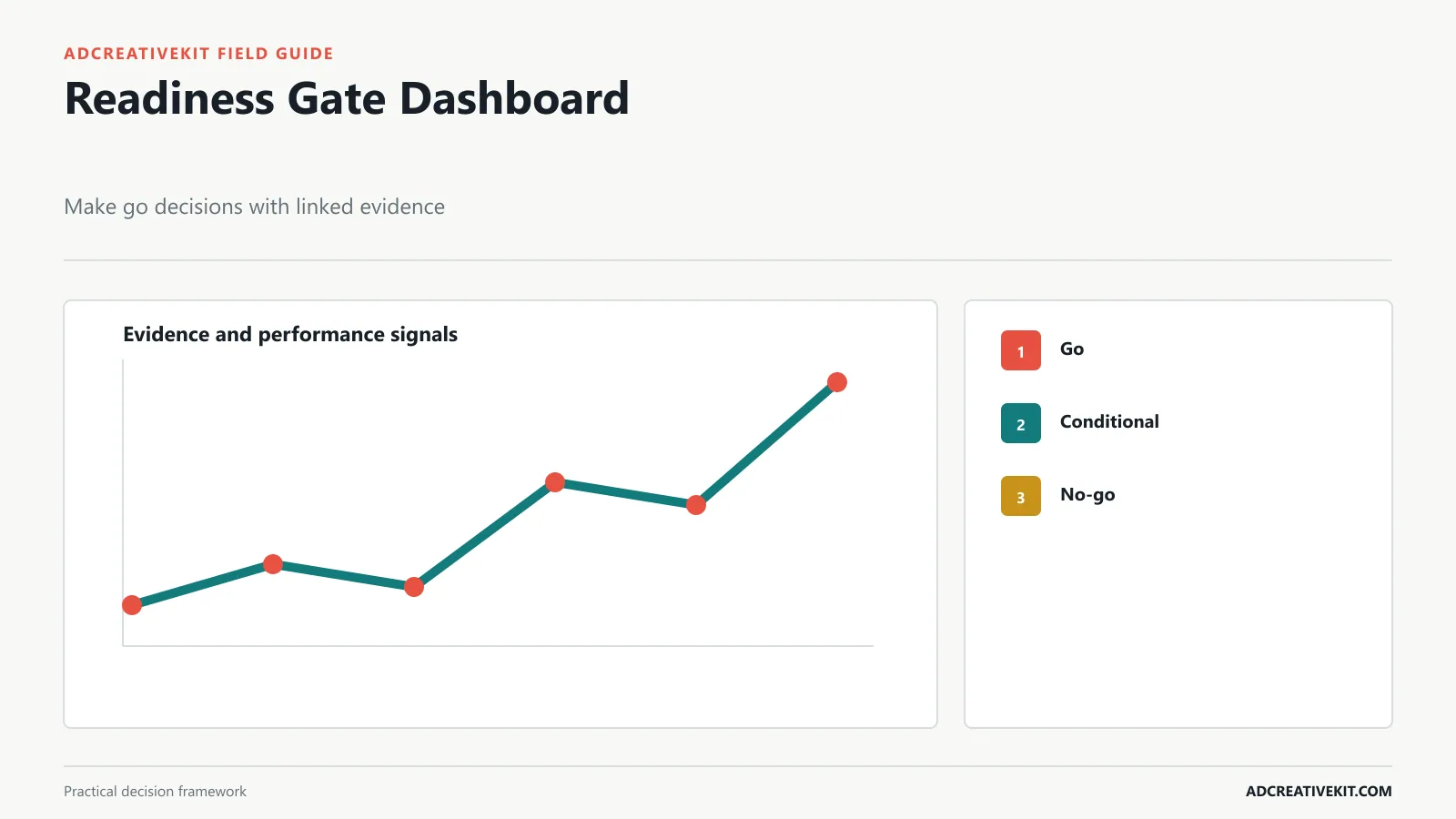
Replace “Are we ready?” with category-specific gates. Product or offer must work as described. Inventory, fulfillment, or infrastructure must tolerate the expected exposure. Claims and endorsements must be supported. Purchase, activation, and analytics paths must work on real devices. Support must have answers and escalation routes. A rollback or fallback plan must exist where failure would harm customers.
| Status | Meaning | Decision |
|---|---|---|
| Go | Requirement passed with linked evidence | Proceed |
| Conditional go | Known issue has owner, containment, and deadline | Named decision owner accepts risk |
| No-go | Customer, legal, financial, or measurement risk is uncontrolled | Delay, reduce scope, or use fallback |
Do not allow a percentage-complete dashboard to conceal a single critical failure. A launch can be 95 percent complete and still be unsafe because checkout, consent, inventory, or tracking is broken. The FTC advertising guidance is a primary reference for claims and endorsements, while Meta’s ad review guidance helps teams account for creative and destination review.
Create the Launch Messaging and Creative Matrix
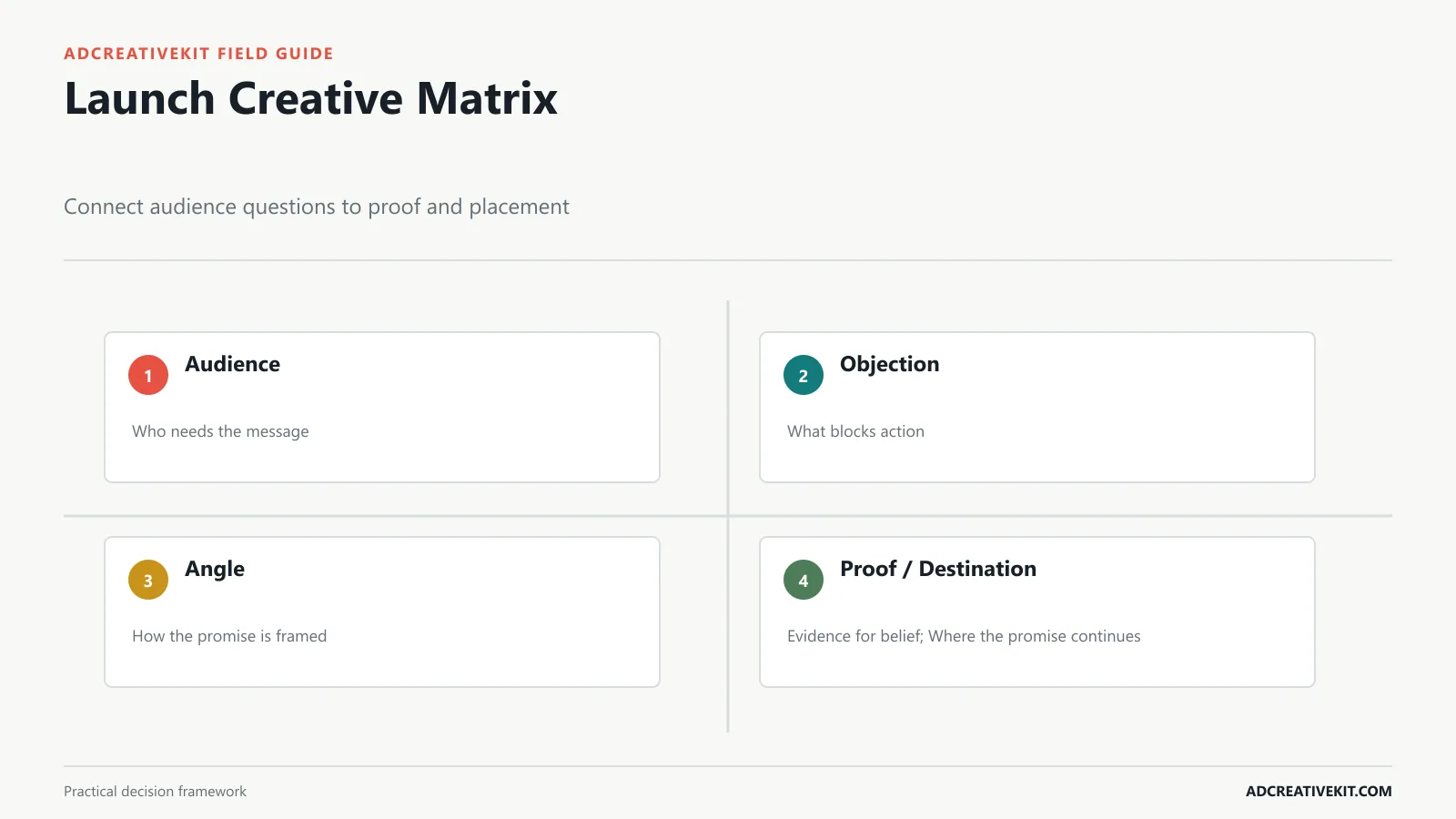
Build rows around audience or awareness state and columns around objection, message angle, proof, format, placement, CTA, destination, owner, and hypothesis. This avoids producing a long asset list whose pieces do not tell a coherent story.
For cold audiences, test problem recognition or use-case clarity. For product-aware shoppers, demonstrate differences, proof, or value. For customers, explain compatibility, upgrade value, or bundles. Keep the landing page aligned with the ad that sends traffic; a comparison ad should not land on a generic homepage.
Create a control family and deliberate variants rather than random executions. The ad testing matrix template shows how to isolate hooks, images, proof, and offers. Use the product promotion templates guide to translate the launch story into product-led layouts.
Run a Launch-Day Command Plan
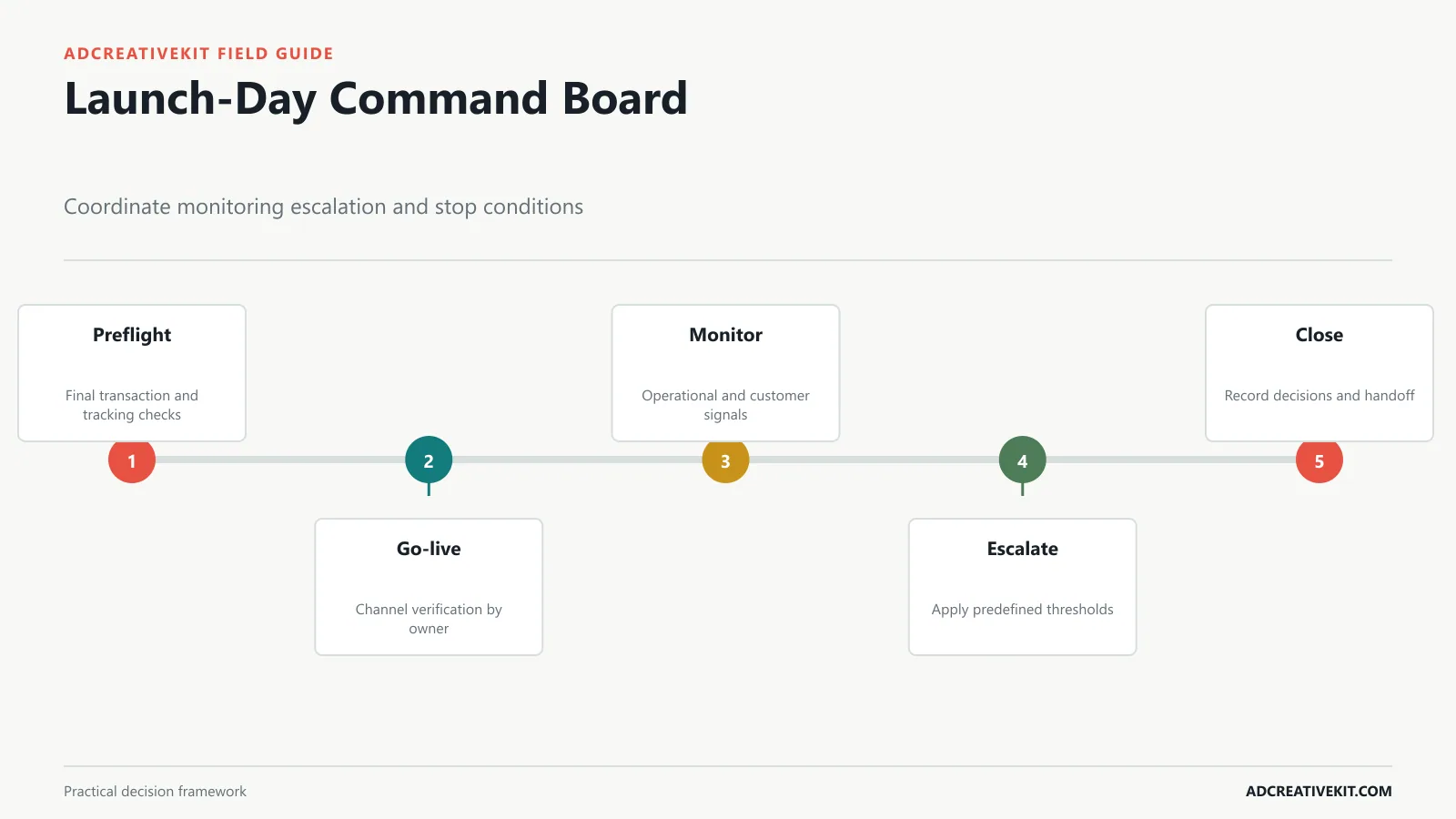
Schedule the launch sequence and the people who observe it. A command plan should state when each channel goes live, who verifies it, where status is reported, which metrics are directional, and what conditions trigger escalation. Include destination checks, purchase or signup tests, code validation, stock or service health, ad approvals, email delivery, partner links, and customer-support themes.
Define stop conditions before emotion and sunk cost enter the decision. Examples include materially incorrect pricing, unsupported claims, broken checkout, widespread activation failure, severe inventory mismatch, or tracking so incomplete that the team cannot judge customer impact. Name the person authorized to pause a channel or the full launch.
Do not overreact to early conversion rates from tiny samples. Operational failures can require immediate action; campaign effectiveness usually needs enough evidence and a pre-agreed decision window. Keep a timestamped decision log so the retrospective can distinguish planned changes from reactive ones.
Measure Quality, Not Only Launch Volume
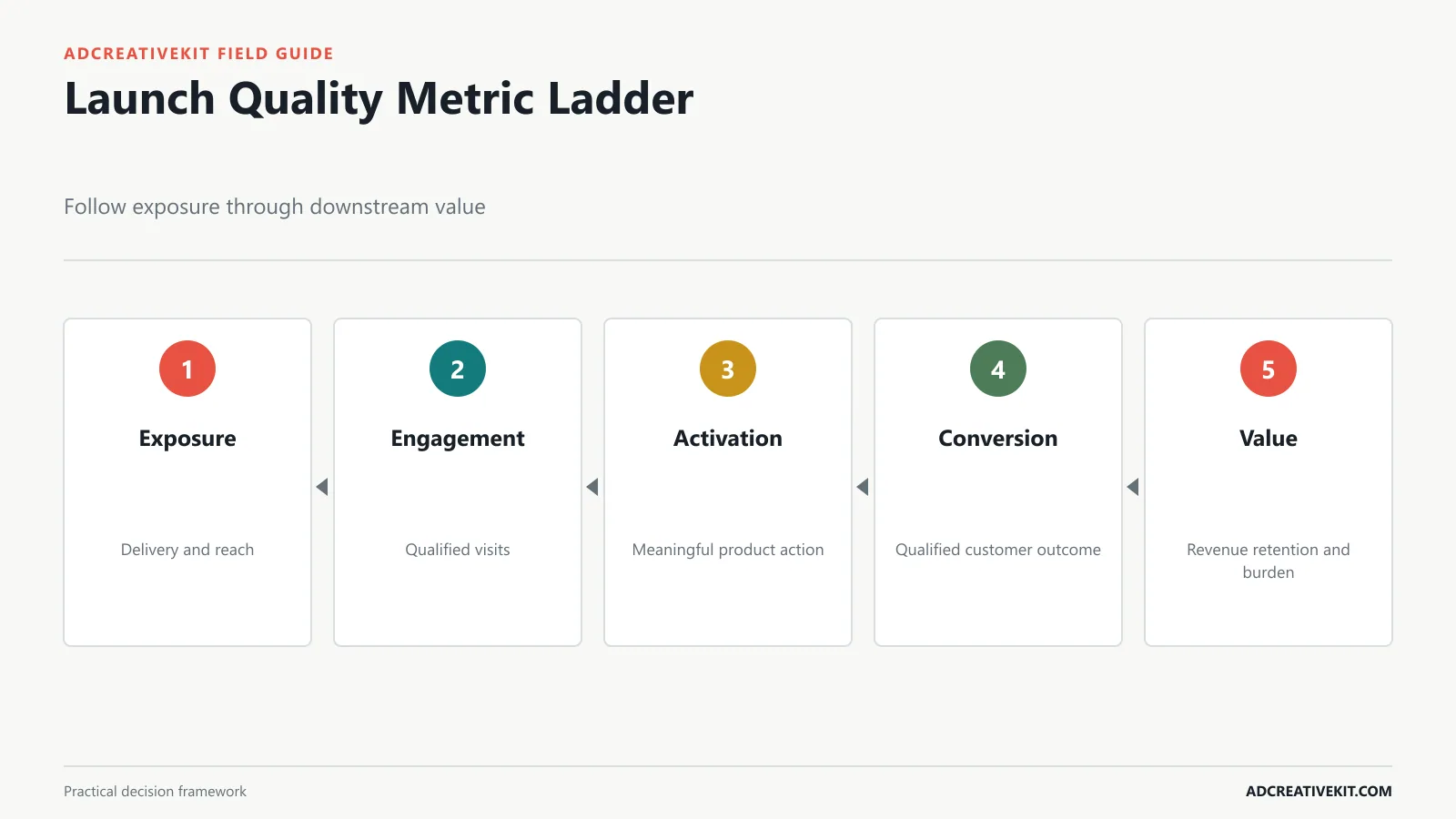
Build a metric ladder: delivery and reach, engaged visits, product understanding or activation, qualified conversion, revenue or account value, support burden, returns or cancellations, and retention. Choose one primary launch outcome and a small set of guardrails. A campaign that drives inexpensive orders but creates heavy returns or low-quality accounts is not a clean win.
Use consistent campaign parameters so channels and assets can be compared. Google’s campaign URL guidance explains UTM parameters, and its key-event documentation explains how important actions are marked in Analytics. Validate tags before launch and annotate major changes during the campaign.
Report assumptions alongside results. If inventory limited delivery, a press mention changed traffic quality, or the offer changed midway, the result cannot be interpreted as though only creative caused it.
Turn the Retrospective Into the Next Template
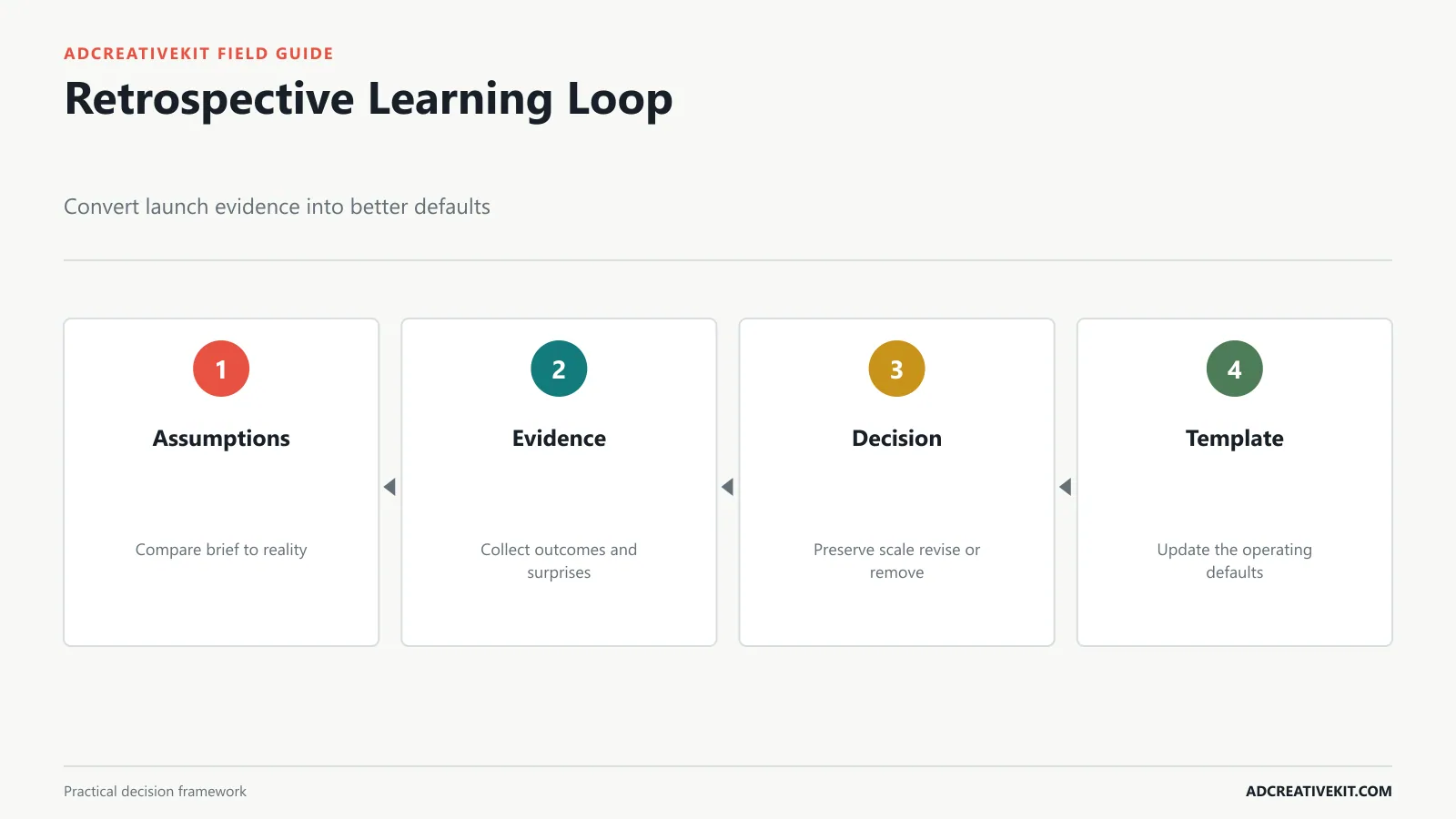
Hold the retrospective while evidence and decisions are still accessible. Compare the brief’s assumptions with outcomes. Record what surprised the team, which assets can be reused, where approvals stalled, which alerts mattered, what customers asked, and which process default should change.
Use four action labels: preserve for reliable assets or controls; scale for validated opportunities; revise for useful work with a clear weakness; and remove for tasks that created no decision value. Assign owners and dates to changes in the master template. Otherwise, the retrospective becomes a document rather than organizational learning.
Launch template fields worth copying
A practical master template should include launch tier, decision owner, audience, problem, promise, verified proof, assumptions, exclusions, success behavior, milestones, dependencies, accountable owners, approvers, evidence links, readiness status, fallback, channel matrix, asset IDs, campaign parameters, monitoring windows, stop conditions, decision log, and retrospective actions. Keep these fields connected instead of spreading conflicting versions across documents.
For a small team, one spreadsheet or project board can hold most of the system if every row has a clear owner and evidence link. Larger teams may use separate product, media, and operations tools, but the launch brief and gate status still need a canonical location. Tool choice is secondary to decision visibility.
Worked example: a focused ecommerce launch
Consider a new travel bottle released in two sizes. The launch is Tier 2 because the product is new but inventory exposure is limited. The brief identifies frequent travelers as the primary audience, leak prevention as the promise, a documented seal test as proof, and size selection as the likely objection. The creative matrix contains a demonstration story, a size comparison, a packing use case, and an offer-free product hero.
The readiness gate requires inventory by size, tested checkout variants, verified dimensions, approved demonstration language, customer-support answers, and validated purchase tracking. A conditional-go issue might be delayed photography for one color, contained by launching only approved colors. A no-go issue would be a seal defect without a resolved product decision.
Launch-day monitoring separates operational and campaign signals. Broken size selection triggers immediate escalation; early CTR does not. The retrospective later compares which story attracted qualified orders, whether customers selected the expected size, and which support questions should change the next product page and brief.
Reuse structure without inheriting assumptions
When copying a previous launch, clear dates, owners, statuses, evidence, inventory, claims, audiences, and metrics. Preserve useful checklists, dependencies, and decision fields. Revalidate every assumption against the new product. A template should preserve organizational learning without pretending that two launches share identical constraints.
Decision rules for launch scope changes
A new request should enter the current launch only when its customer or business value exceeds the risk it adds and the affected owner can still pass the relevant gate. Otherwise, move it to a follow-up release. Adding a channel means more than adding an asset: it introduces destination, tracking, policy, support, timing, and monitoring work.
When a dependency slips, evaluate three options explicitly: delay the launch, reduce scope, or accept a contained risk. Record the consequence for customers, measurement, operations, and committed partners. “Work harder” is not a fourth decision. This rule helps teams protect the quality of a launch without treating the original date as untouchable.
Keep a decision calendar: distinguish dates when work is due from dates when a decision becomes expensive to reverse. Creative lock, inventory commitment, partner confirmation, and media booking may be earlier than publication. Showing these points helps leaders intervene while options still exist.
Mark assumptions that remain unresolved at go-live and assign a post-launch review date. Otherwise, temporary beliefs can quietly become permanent product or campaign facts.
Keep that review visible to the original decision owner.
Frequently asked questions
How long should a product launch plan be?
Long enough to expose the launch’s actual dependencies and risks. Use launch tier and reversibility, not an arbitrary number of weeks.
What is the most important launch template?
The one-page brief is the anchor because it defines audience, promise, evidence, scope, and success. The timeline and asset matrix should inherit from it.
When should a launch be delayed?
Delay or reduce scope when a critical customer, legal, operational, or measurement risk has no credible containment plan and accountable owner.
For a wider set of reusable campaign assets across launch, sale, retention, and retargeting, continue with the ecommerce template system.