Editable Ad Templates: The Complete Guide to Creating Better Campaigns Faster
Editable ad templates are reusable ad layouts that let you change the headline, product image, offer, colors, CTA, and supporting copy without designing every campaign from scratch. They are especially useful for marketers, ecommerce stores, creators, and small teams that need to create more ad variations without slowing down production.
The best editable templates are not just pretty design files. They are practical campaign systems. A good template gives you structure, but still leaves room to adapt the message, product, audience, and creative angle. That balance is what makes templates useful for both speed and performance.
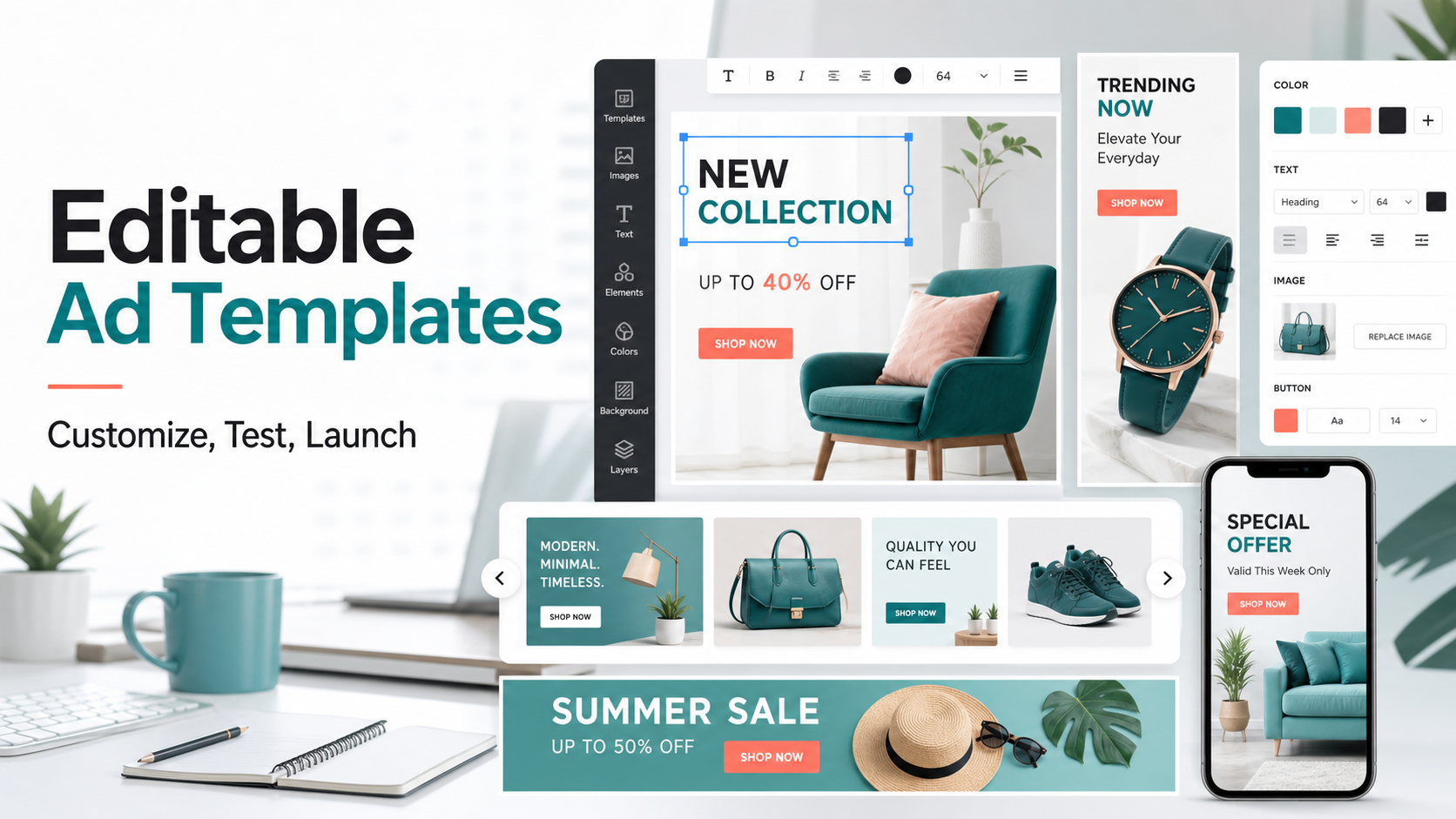
Table of contents
- What are editable ad templates?
- Why editable ad templates work
- Types of editable ad templates
- What to customize in an ad template
- A simple workflow for using editable templates
- How to test editable ad templates
- Common mistakes to avoid
- How to Use AdCreativeKit in This Workflow
- FAQ
What are editable ad templates?
Editable ad templates are pre-designed advertising layouts that can be customized for different campaigns. They usually include placeholders for product images, headlines, body copy, offer badges, trust signals, CTA buttons, brand colors, and supporting visuals. Instead of building a new ad from a blank canvas, you start with a structure and adapt it to your offer.
For example, an ecommerce brand might use the same template structure for a sale campaign, product launch, seasonal offer, bundle promotion, retargeting ad, and customer testimonial. The design stays consistent, but the message changes based on the campaign goal.
This makes editable templates different from static inspiration images. A true editable template is built to be changed. You should be able to replace images, rewrite the hook, adjust colors, modify the CTA, and create new variations without breaking the layout.
Why editable ad templates work
Paid social and ecommerce campaigns need fresh creative. Even strong ads can fatigue when the same audience sees them too often. Editable ad templates help solve this by giving teams a faster way to produce controlled variations.
- They save time: you can create new ad versions without redesigning the whole layout.
- They improve consistency: templates keep your brand, spacing, typography, and CTA style aligned.
- They support testing: you can change one variable, such as the hook or offer, while keeping the layout stable.
- They help non-designers: strong templates give clear guardrails for readable, polished ads.
- They scale campaigns: one campaign idea can become static ads, carousel slides, story-style creative, and sale banners.
If you are building a bigger content system, editable ads also connect naturally with broader graphic design templates. The same visual direction can support ads, social posts, banners, emails, and launch assets.
Types of editable ad templates
Different campaign goals need different ad formats. A simple product discount does not need the same layout as a testimonial, UGC-style hook, or multi-slide product story. Here are the most useful types to include in your creative library.
1. Editable static ad templates
Static ad templates are single-image layouts used for product offers, retargeting ads, sale announcements, feature highlights, lead magnets, and direct response campaigns. They work best when the offer is simple and needs to be understood quickly.
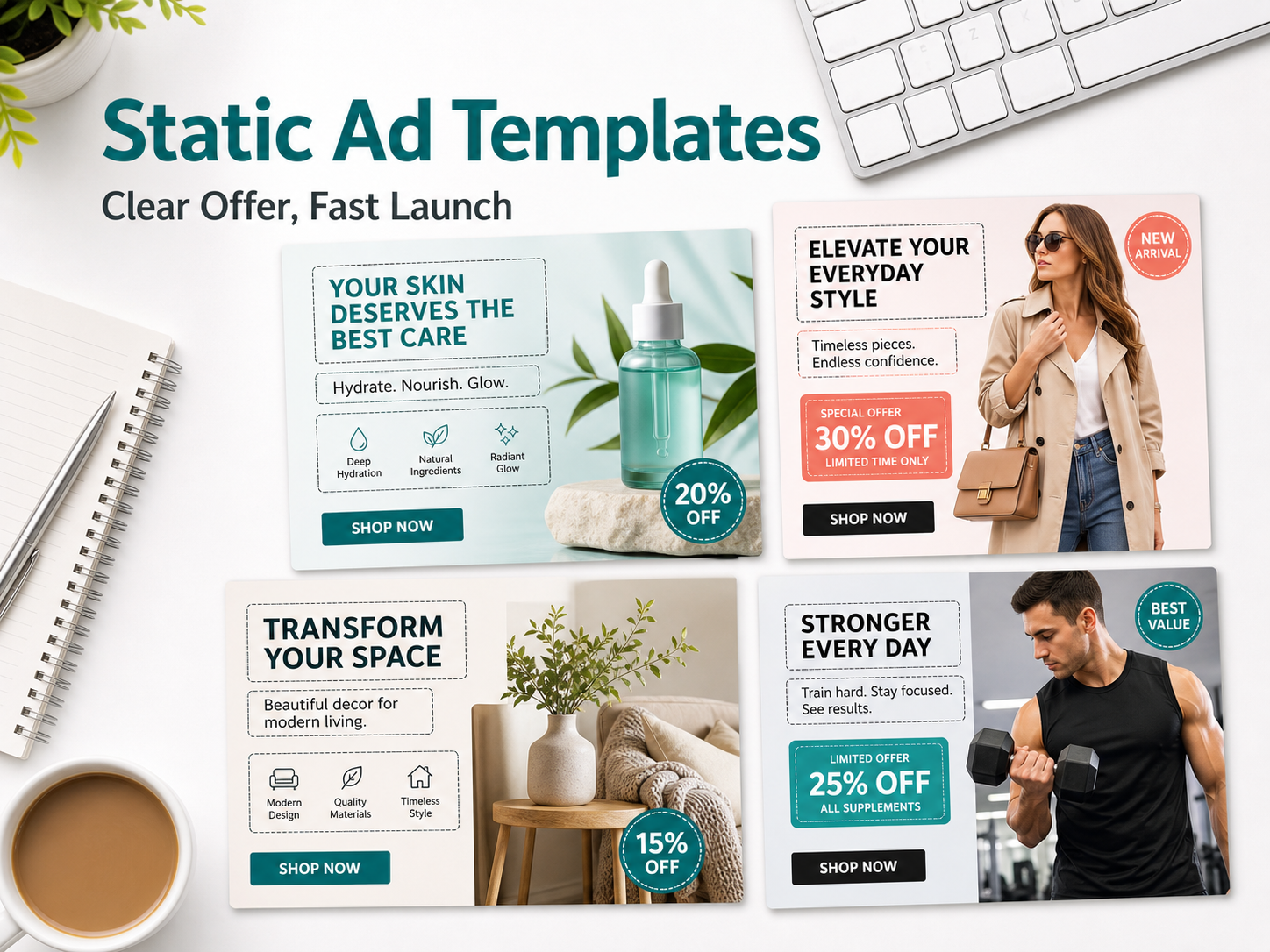
A strong static ad template should include a readable headline, clear product image, one primary benefit, a visible offer, and a direct CTA. For more examples, read our guide to static ad templates.
2. Editable carousel ad templates
Carousel templates help you break a message into a sequence. Instead of forcing everything into one image, each slide can handle a specific job: hook, product feature, benefit, proof, comparison, objection, and CTA.
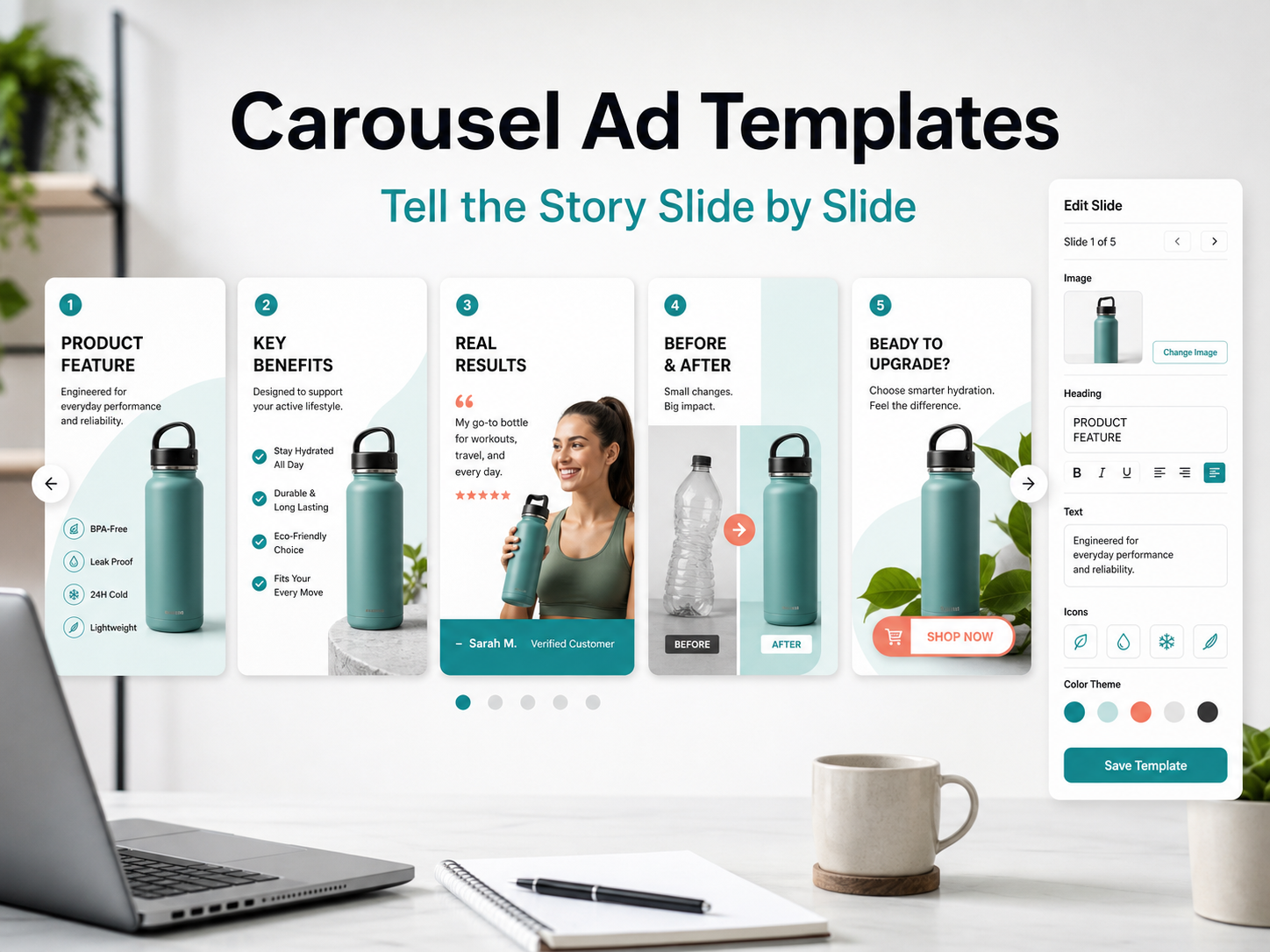
Carousel ads are useful when the product has several benefits, steps, use cases, or proof points. They also work well for educational campaigns where the first slide earns attention and the later slides build the case.
3. Editable UGC-style ad templates
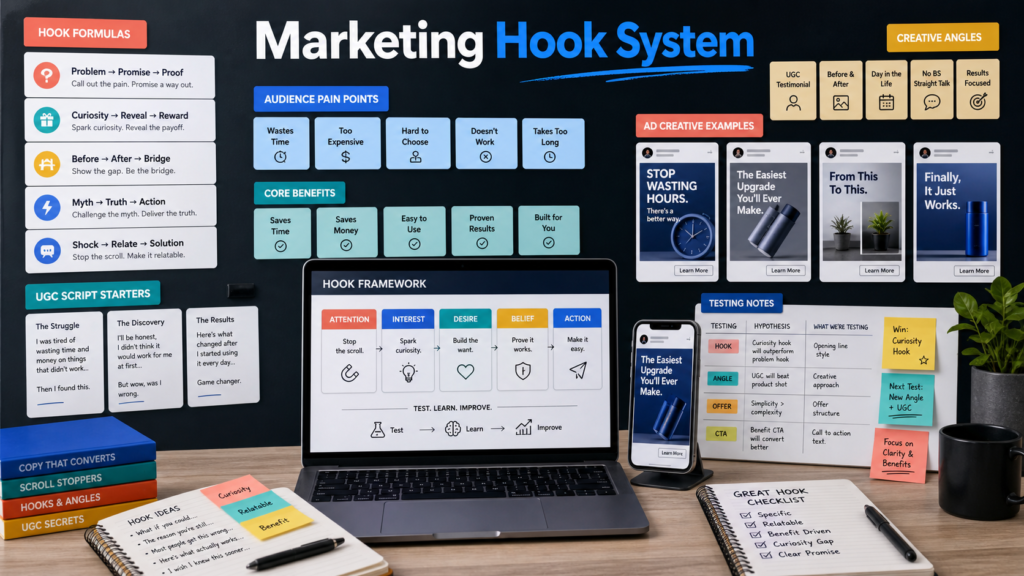
UGC-style templates are designed to feel more native and human. They often include creator frames, hook overlays, testimonial areas, review badges, product demo sections, and CTA buttons. The most important editable part is usually the hook, because the first line determines whether people keep watching or scrolling.
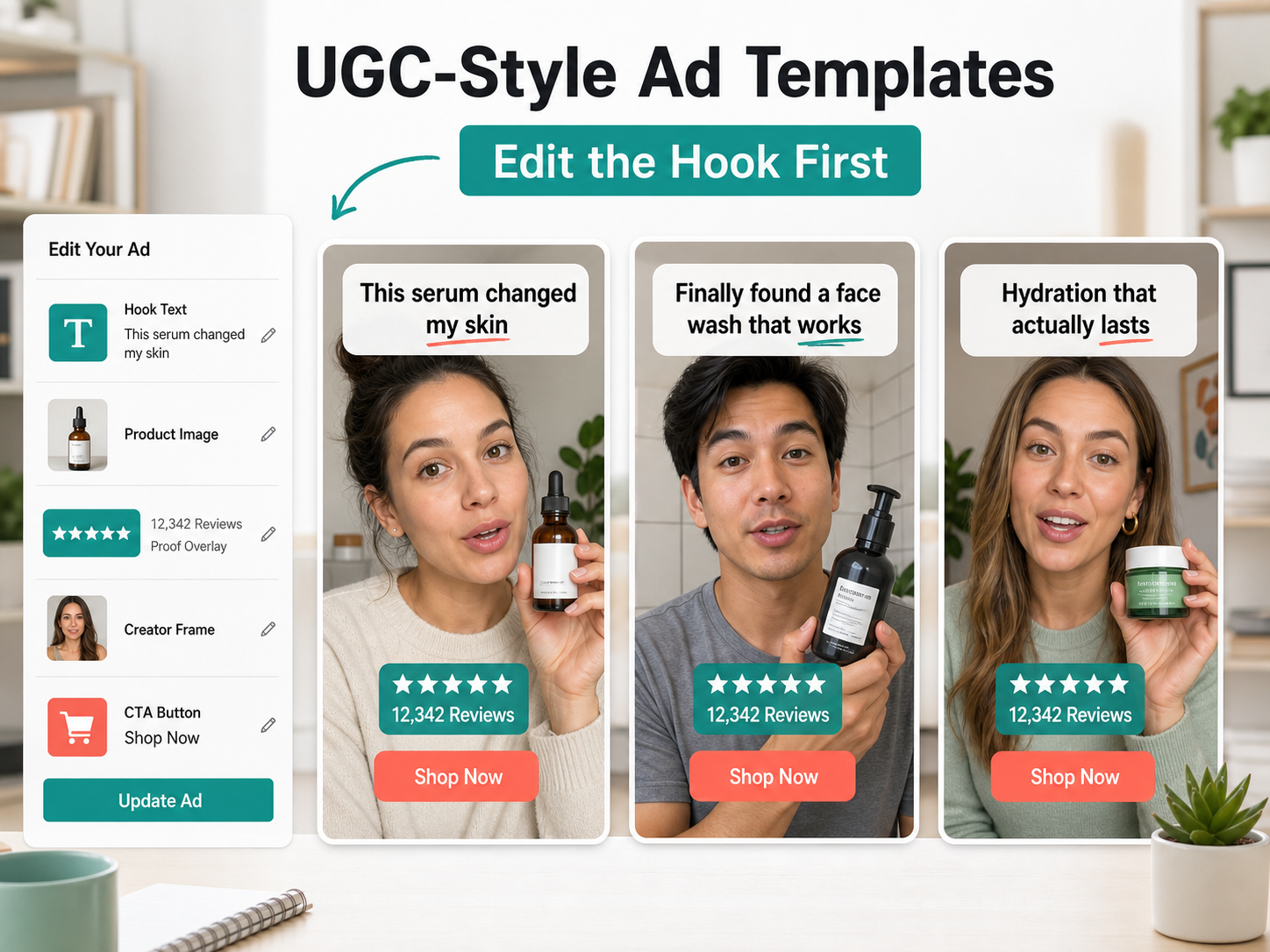
If you want more structure for this format, our UGC ad templates article covers hooks, scripts, proof formats, and ecommerce examples.
4. Editable sale banner templates
Sale banner templates are built for seasonal promotions, flash sales, product launches, limited-time offers, and retargeting campaigns. They should make the promotion obvious without becoming messy or hard to read.
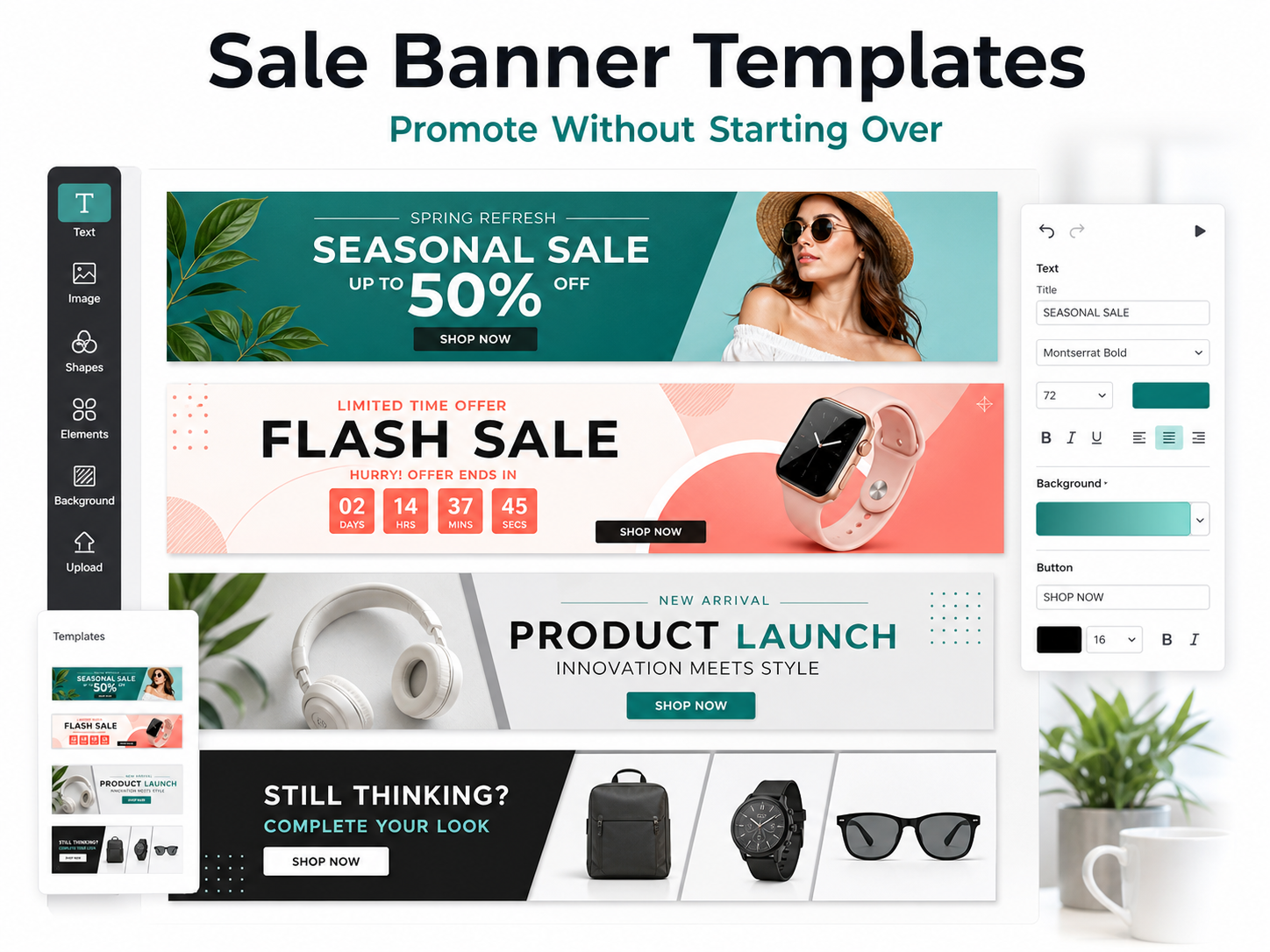
For ecommerce brands, sale templates are useful because promotions repeat. Instead of rebuilding a new banner for every launch, you can update the product, discount, deadline, and CTA.
What to customize in an ad template
The value of editable ad templates comes from knowing what to change. If you only swap the product photo, you may miss the bigger opportunity. Good creative testing usually starts with the message, then adapts the visual around it.
- Hook: the first idea people notice. This can be a pain point, promise, question, or surprising angle.
- Product image: the visual proof of what you are selling.
- Offer: discount, bundle, bonus, trial, deadline, or key reason to act now.
- Benefit copy: the practical reason the audience should care.
- CTA: the action you want the viewer to take.
- Proof: reviews, testimonials, results, press mentions, guarantees, or product details.
- Brand styling: colors, fonts, logo placement, and visual tone.
If you need better hook ideas, start with our guide to ad hooks that stop the scroll. A strong hook can turn the same template into a completely different creative angle.
A simple workflow for using editable ad templates
Editable templates work best when they are part of a repeatable workflow. Here is a practical process you can use for ecommerce campaigns, digital product launches, service offers, and creator promotions.
- Choose the campaign goal: sales, leads, retargeting, launch awareness, product education, or testing.
- Pick the format: static ad, carousel, UGC-style creative, sale banner, or story-style asset.
- Write the hook: create three to five headline options before designing.
- Add the product visual: choose an image that makes the offer easy to understand.
- Customize the offer: make the benefit, discount, or promise visible.
- Adjust brand styling: apply your colors, fonts, and CTA style.
- Export multiple variations: keep the layout similar and test controlled changes.
- Save winners: turn high-performing ads into reusable templates for future campaigns.
If your workflow uses Canva, our Canva Facebook ad templates guide can help you think through editing and customization steps.
How to test editable ad templates
Templates make testing easier because they let you keep the structure stable while changing one important variable. This makes your results easier to understand.
- Test hook variations: keep the design the same and change the first line.
- Test offer framing: compare discount, bundle, free bonus, and urgency messages.
- Test product visuals: compare clean product photos, lifestyle images, and UGC-style frames.
- Test proof types: compare reviews, star ratings, customer quotes, and feature claims.
- Test CTAs: compare direct commands, benefit-led CTAs, and softer discovery CTAs.
For a deeper testing structure, use our A/B testing ad creatives guide. The goal is not to create random designs. The goal is to learn what message, format, and visual structure performs best.
Common mistakes to avoid
Choosing templates only because they look nice
A beautiful template is not always a strong ad. The layout needs to make the offer clear, support the CTA, and help the viewer understand the benefit quickly.
Changing too many elements at once
If you change the hook, offer, product image, layout, audience, and CTA all at once, it becomes hard to know what improved performance. Use templates to control the structure and test one major variable at a time.
Ignoring mobile readability
Most ads are viewed on mobile. If the headline, badge, or CTA is too small, the design may look polished on desktop but fail in the feed. Always preview the final ad at mobile size.
Making every ad look identical
Consistency is useful, but sameness can create fatigue. Keep the brand system consistent while rotating hooks, formats, visuals, proof points, and offers.
How to Use AdCreativeKit in This Workflow
Once you understand how editable ad templates work, the next step is building a template library that supports real campaigns. AdCreativeKit is designed for marketers, ecommerce brands, and creators who want ready-to-edit ad layouts, campaign assets, and design templates without starting from a blank page.
You can use it to move from idea to execution faster: choose a layout, customize the hook, replace the product image, adjust the offer, and create new variations for testing. The goal is not to skip strategy. The goal is to make strong creative easier to produce consistently.
If you want a practical library to work from, you can browse the AdCreativeKit shop or start with our broader ad templates guide.
Final thoughts
Editable ad templates are valuable because they turn ad creation into a repeatable system. They help you produce cleaner creative, test more angles, stay consistent, and launch campaigns faster.
The best approach is simple: start with the campaign goal, choose the right template format, customize the message carefully, test one key variable at a time, and save the winners as reusable assets. That is how templates become more than design shortcuts. They become part of your growth workflow.
FAQ
What are editable ad templates?
Editable ad templates are pre-designed advertising layouts that can be customized with your own headline, product image, offer, CTA, brand colors, and supporting copy.
Are editable ad templates good for ecommerce?
Yes. Ecommerce brands can use editable ad templates to create product ads, sale banners, carousel ads, retargeting creatives, launch assets, and UGC-style campaigns faster.
What should I customize first in an ad template?
Start with the hook, offer, and product image. These usually have the biggest impact on whether the ad is understood and whether people want to take action.
Can beginners use editable ad templates?
Yes. Templates are useful for beginners because they provide structure, spacing, and layout guardrails. Beginners can focus on customizing the message and visuals instead of building the design from scratch.
How many ad template variations should I test?
Start with three to five variations around one campaign idea. Test different hooks, offers, product images, or proof points while keeping the layout mostly consistent.